On this page
Install Linyaps environment on openKylin 2.0System RequirementsInstall and configure the Linyaps toolsUsing LinyapsInstall Linyaps environment on openKylin 2.0
System Requirements
Before installing the Linyaps environment, your system environment should meet the following requirements:
系统版本: openKylin 2.0 Release
平台: x86_64
Install and configure the Linyaps tools
After installing openKylin 2.0, you can now install the Linyaps main program. For details, please refer to Install Linyaps
The current latest Linyaps version on openKylin 2.0 still belongs to Test version and some issues remain to be resolved. You should restart the system or Linyaps related services before you start to experience it.
*Note: Linyaps does not currently work with root accounts*
*The current nile repository has been submitted by maintainers linglong-bin==1.5.7 Linyaps main program built version, but there are still some compatibility issues in actual testing, so you need to install the Linyaps main program according to the above documents to achieve normal capabilities.
Using Linyaps
Install and run
After completing the above steps, you are now ready to experience Linyaps!
There are three ways to install Linyaps application:
- “ll-cli” Linyaps package manager tool
- “.layer” independent online installation file
- Simple Linyaps Store by Jokul
“ll-cli” Linyaps package manager tool
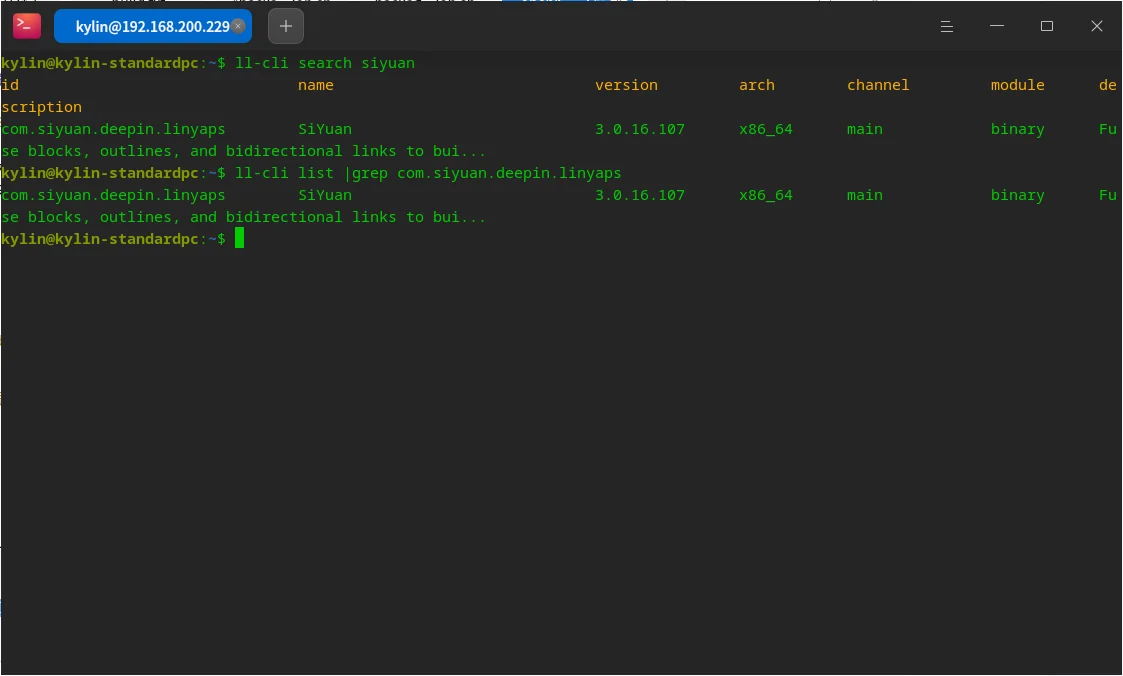
Let’s take a look now openKylin 2.0 Pass on the platform ll-cli玲珑包管理器工具 What can be achieved by installing the Linyaps application. Now let's say I know there is a Linyaps app 思源笔记 has been put on the Linyaps repository and is available for download.
Even though I knew this news in advance, I still needed to get the Linyaps application in order to be able to install it using the "ll-cli" Linyaps package manager tool. 完整id。
But based on the current information, I only know that the Chinese name of this app is 思源笔记 And don't know Specific ID or English name , here we can use Pinyin siyuan instead of application name Fuzzy search .
ziggy@kylin-standardpc:~$ ll-cli search siyuan
id                               name                             version         arch        channel         module      description
com.siyuan.deepin.linyaps        SiYuan                           3.0.16.107      x86_64      main            binary      Fuse blocks, outlines, and bidirectional links to bui...
We can see from the returned results that 思源笔记 The full package name id of this Linyaps application appears in the repository as com.siyuan.deepin.linyaps , after obtaining the ID, we can directly start the installation operation.
ziggy@kylin-standardpc:~$ ll-cli install com.siyuan.deepin.linyaps
After the installation process is completed, you can execute the following command to confirm whether the application has been installed.
ziggy@kylin-standardpc:~$ ll-cli list |grep com.siyuan.deepin.linyaps
If output information like the image below is returned, it means you can now enjoy the Linyaps application!
ziggy@kylin-standardpc:~$ ll-cli list |grep com.siyuan.deepin.linyaps
com.siyuan.deepin.linyaps       SiYuan                          3.0.16.107      x86_64      main            binary      Fuse blo
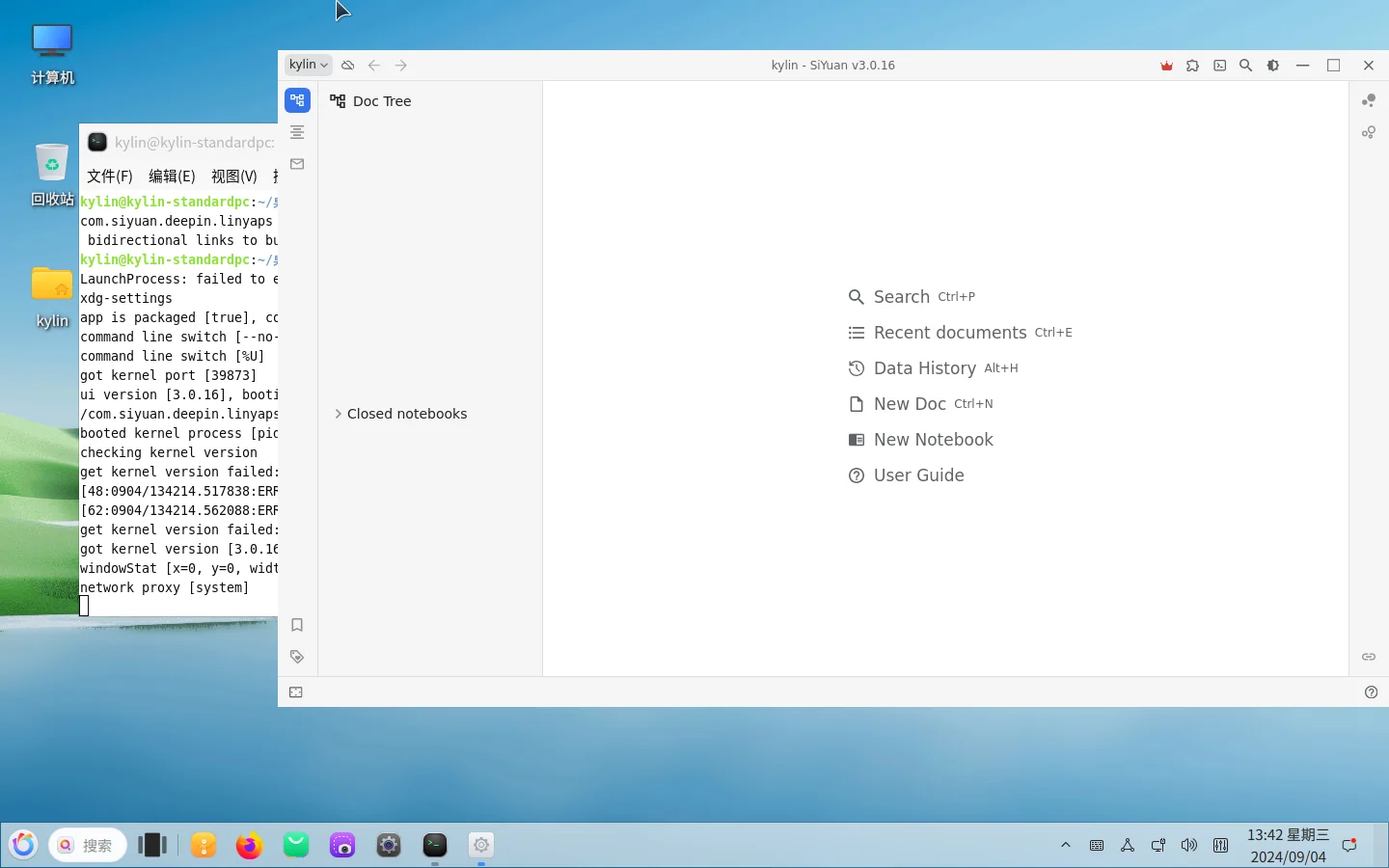
Let's start this application through the command. The experience is almost perfect. There is no problem opening files and exporting files.
ziggy@kylin-standardpc:~$ ll-cli run com.siyuan.deepin.linyaps
“.layer” independent online installation file
Linyaps support via .layer independent Online installation files to install the application. If someone shared with you a file called xxx.layer file, then you can install the corresponding Linyaps application through this file.
It is worth noting that here using Standalone installation files argument instead of Offline installation files is due to passing .layer File installation Linyaps application requires an Internet connection, so before the installation is complete you need Keep network connections open 。
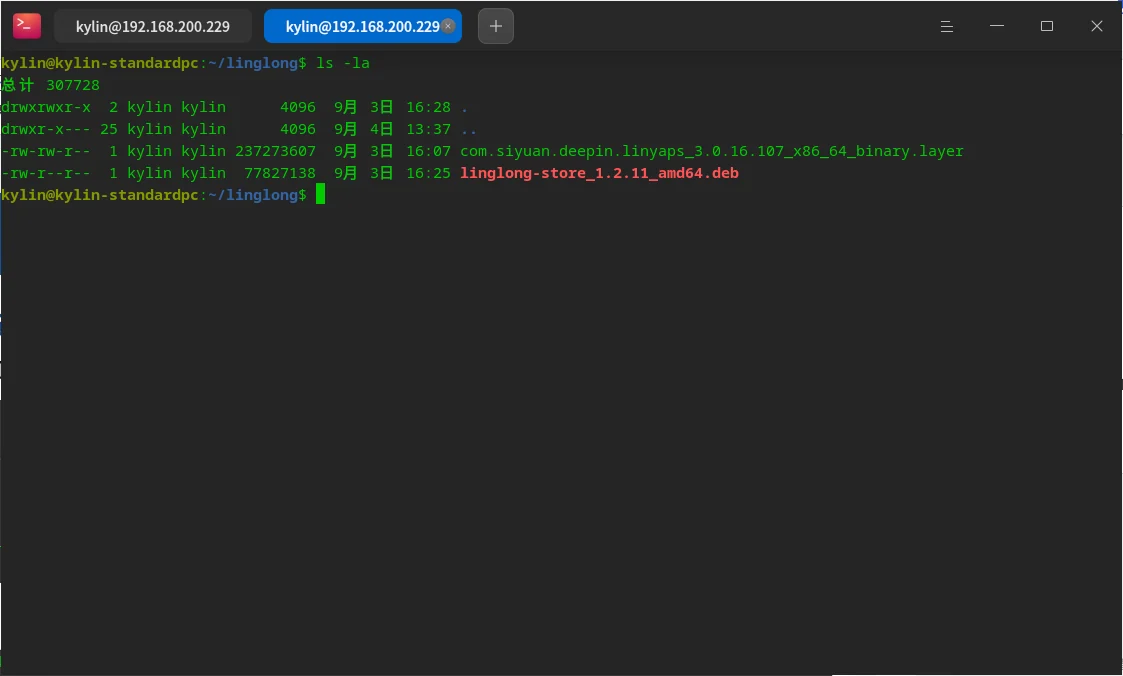
Now suppose someone shares with us a file called com.siyuan.deepin.linyaps_3.0.16.107_x86_64_binary.layer file, then you can install the corresponding Linyaps application through this file.
Please refer to the above for the command parameters used for specific installation. 《使用玲珑命令行包管理工具安装应用》 , assuming you're going to install the com.siyuan.deepin.linyaps_3.0.16.107_x86_64_binary.layer file, then you should first Enter the directory where the installation file is stored , and then open a terminal in this directory to ensure that this file is included in the directory when executing subsequent commands.
For installation parameters, please refer to:
ziggy@kylin-standardpc:~/linglong$ ll-cli ./com.siyuan.deepin.linyaps_3.0.16.107_x86_64_binary.layer
After installation, you can refer to the above 《使用玲珑命令行包管理工具安装应用》 To confirm whether the installation is complete, the application ID should be com.siyuan.deepin.linyaps
Of course, you can also install layer files in other directories, but you need to specify the file during installation. Full path :
ziggy@kylin-standardpc:~/linglong$ ll-cli install /home/ziggy/linglong/com.siyuan.deepin.linyaps_3.0.16.107_x86_64_binary.layer
It should be noted that currently openKylin 2.0 There are still some experience issues on the platform Not yet resolved :
- After Linyaps application installation Unable to generate desktop application startup file in launcher or desktop , you need to manually enter the Linyaps program installation directory and send the desktop application startup file to the location you need.
- The desktop application startup file generated by the Linyaps application may not be able to read the icon path correctly. Show default icon , you need to manually specify the Icon path in the desktop application startup file as the path to the actual icon file of the application
Directory paths for reference:
## desktop应用启动文件路径
/var/lib/linglong/layers/main/$id/$version/x86_64/binary/entries/share/applications

## 应用Icon路径
/var/lib/linglong/layers/main/$id/$version/x86_64/binary/entries/share/icons/hicolor
Two points to note:
- Generally, icon files of different sizes are stored in the hicolor directory. It is recommended to select the appropriate size in the Icon field of the desktop application startup file. Fill in the path of the specific icon file
- ** here id *** refers to ***Linyaps application id∗∗,∗∗version refers to Linyaps application Installed version number**, you need to fill in the specific actual value
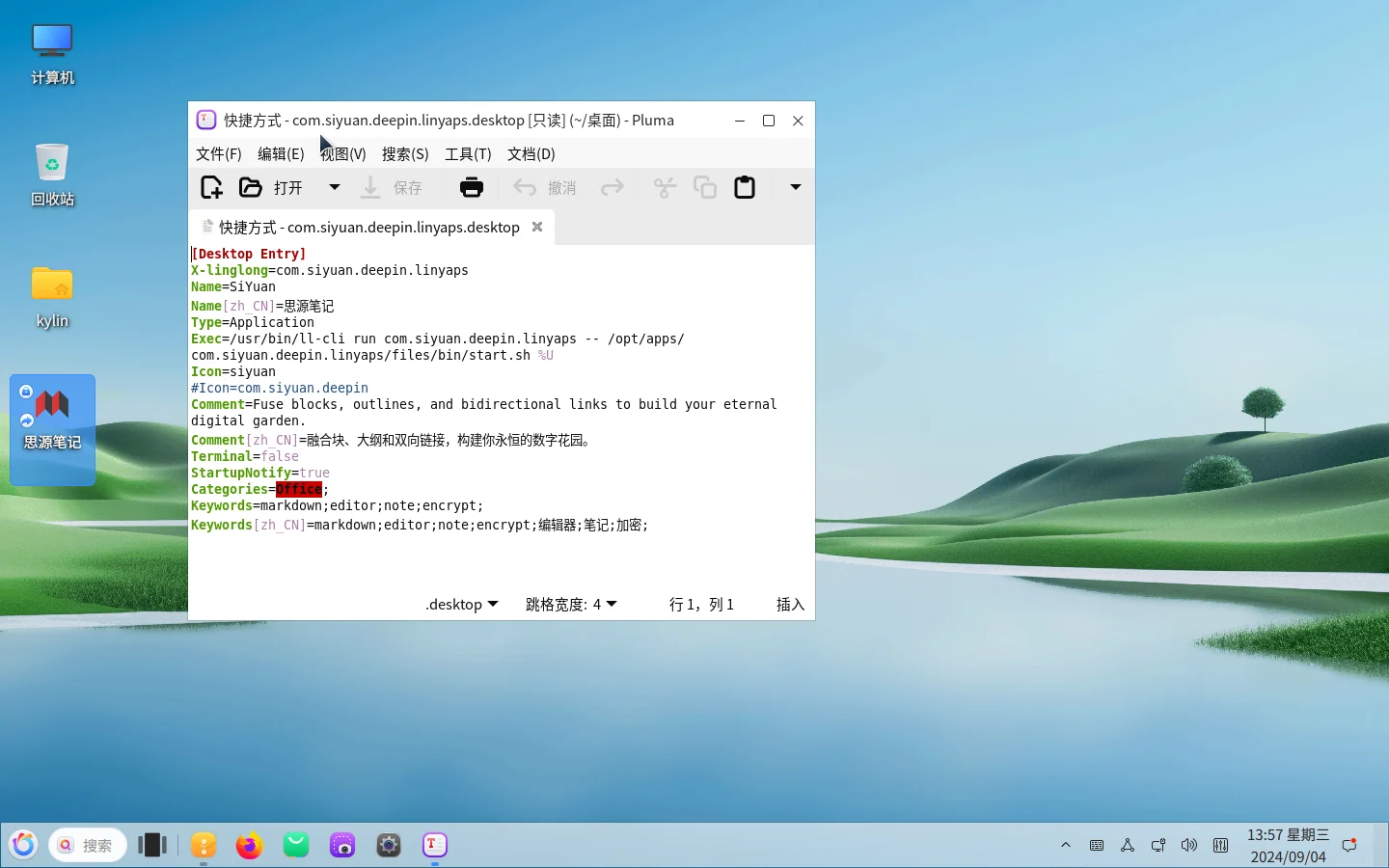
Below are the renderings & examples of the completed transformation:
[ziggy@localhost applications]$ cat /home/ziggy/桌面/com.siyuan.deepin.linyaps.desktop
[Desktop Entry]
X-linglong=com.siyuan.deepin.linyaps
Name=SiYuan
Name[zh_CN]=思源笔记
Type=Application
Exec=/usr/bin/ll-cli run com.siyuan.deepin.linyaps -- /opt/apps/com.siyuan.deepin.linyaps/files/bin/start.sh %U
Icon=/var/lib/linglong/layers/main/com.siyuan.deepin.linyaps/
     3.0.16.107/x86_64/binary/files/share/icons/hicolor/512x512/apps/siyuan.png
Comment=Fuse blocks, outlines, and bidirectional links to build your eternal digital garden.
Comment[zh_CN]=融合块、大纲和双向链接,构建你永恒的数字花园。
Terminal=false
StartupNotify=true
Categories=Office;
Keywords=markdown;editor;note;encrypt;
Keywords[zh_CN]=markdown;editor;note;encrypt;编辑器;笔记;加密;
Simple Linyaps Store by Jokul
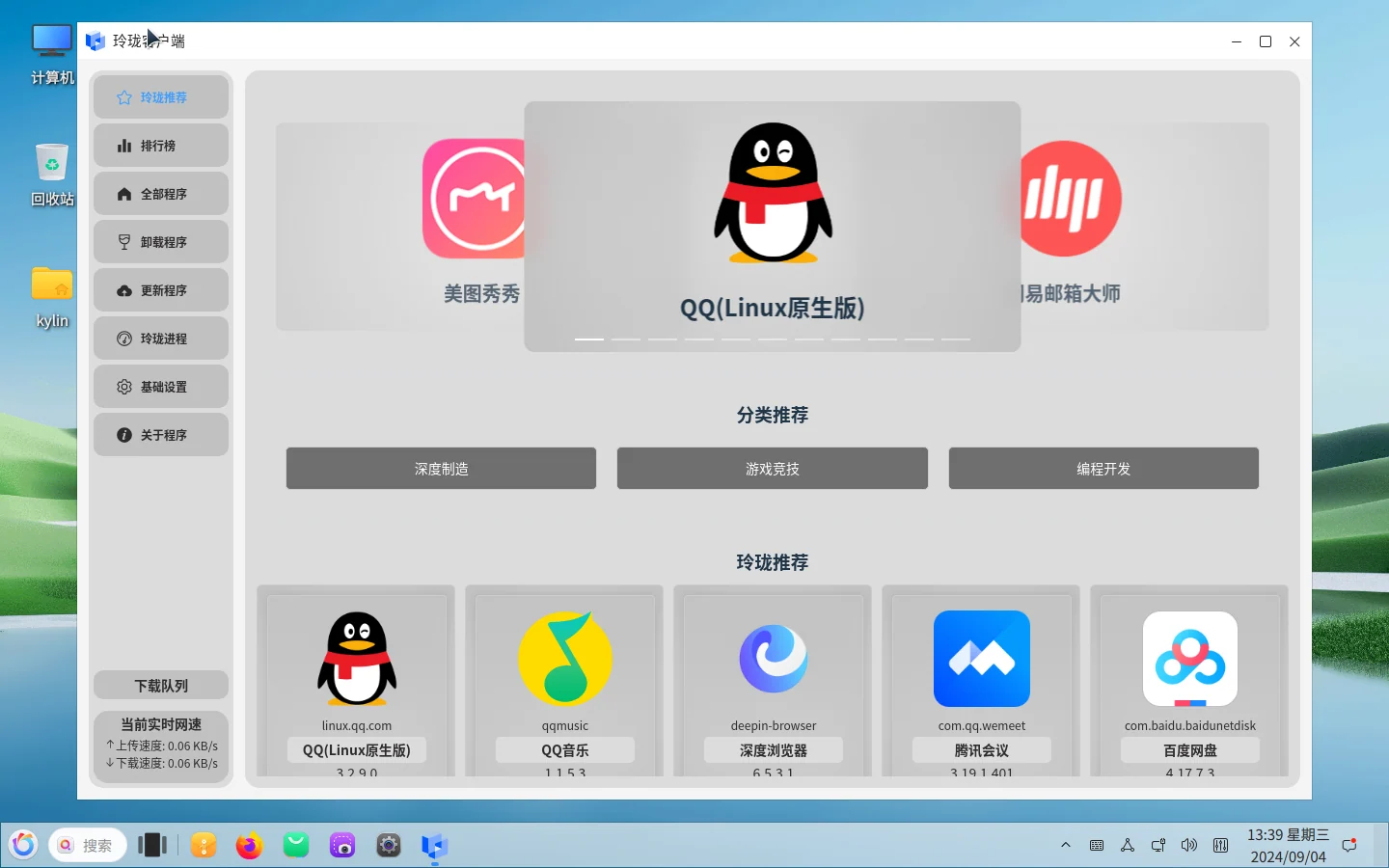
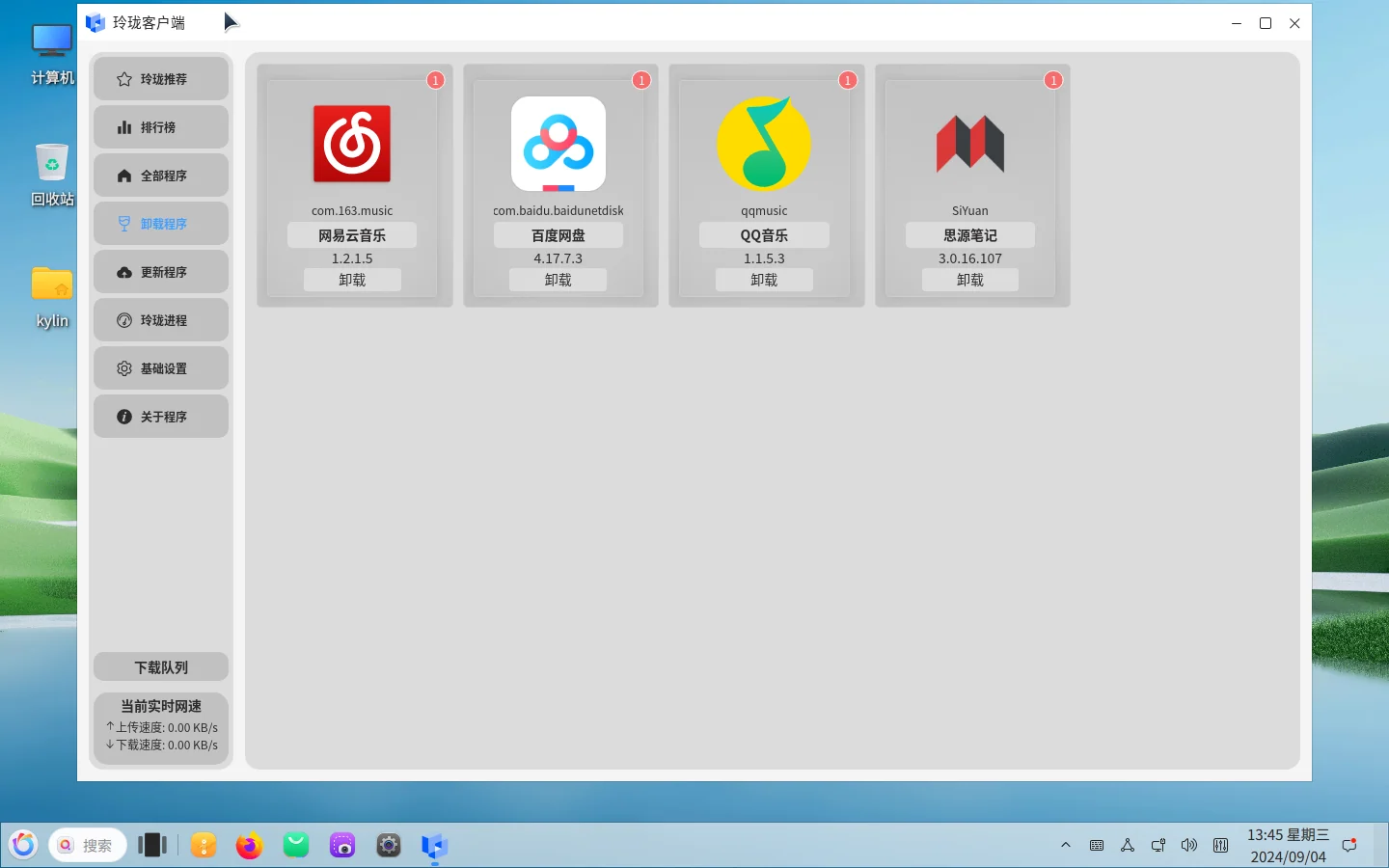
The two methods introduced above need to be operated by using commands. For ordinary users, the experience may still need to be improved. So I’m here to introduce you to a good one – by a Linyaps community contributor Jokul maintained Simple Linyaps store client Supported in openKylin 2.0 Install, run, and manage Linyaps applications on the platform.
After we enter the client, what we see is an excellent interactive experience design: classification, real-time network speed, application management, and even supports Linyaps container process management.
In addition to providing a better experience for ordinary users, the client supports the feature of launching Linyaps applications, which also solves the above problem of being unable to map desktop files.
We can click on an application here to download and install it. After completion, it can be launched through the client. For example, we have already completed it ahead of schedule 思源笔记 For installation, we click to enter the application details page to launch the selected Linyaps application with one click!
- Big news! XDG officially supports Linyaps(Linyaps)
- When BMF meets Linyaps: An AI-supported audio and video conversion tool is launched like this
- Offline Events | COSCon’25 this weekend: Friends from Beijing, come and sit at the booth!
- Linyaps community test source is online, and there is no need to wait for the latest software and hardware!
- [Project Sharing] Runtime top update: Tauri and Flutter applications support native builds
English edition: Linglong · 18 October 2026. Original publication: 2024-09-13.