Taking deepin-calculator as an example, introduce the process of building a Linglong package from source code.
Create Linglong project
mkdir org.deepin.calculator
Create a file named linglong.yaml in the directory.
touch org.deepin.calculator/linglong.yaml
Enter the directory
cd org.deepin.calculator
Edit the linglong.yaml file using a text editor.
version: "1"

package:
  id: org.deepin.calculator
  name: deepin-calculator
  version: 5.7.21.0
  kind: app
  description: |
    calculator for deepin os.

command:
  - /opt/apps/org.deepin.calculator/files/bin/deepin-calculator

base: org.deepin.foundation/23.0.0
runtime: org.deepin.Runtime/23.0.1

sources:
  - kind: git
    url: https://github.com/linuxdeepin/deepin-calculator.git
    version: master
    commit: d7e207b4a71bbd97f7d818de5044228c1a6e2c92

  - kind: git
    url: https://github.com/linuxdeepin/dde-qt-dbus-factory.git
    version: master

build: |
  # build dde-qt-dbus-factory
  cd /project/linglong/sources/dde-qt-dbus-factory.git
  qmake -makefile \
        PREFIX=${PREFIX} \
        LIB_INSTALL_DIR=${PREFIX}/lib/${TRIPLET} \
        INSTALL_ROOT=${PREFIX}

  make
  make install

  # build calculator
  cd /project/linglong/sources/deepin-calculator.git
  cmake -Bbuild \
        -DCMAKE_INSTALL_PREFIX=${PREFIX} \
        -DCMAKE_INSTALL_LIBDIR=${PREFIX}/lib/${TRIPLET}
        -DCMAKE_BUILD_TYPE=Release \
        -DCMAKE_SAFETYTEST_ARG="CMAKE_SAFETYTEST_ARG_OFF" \
        -DAPP_VERSION=5.7.21 \
        -DVERSION=5.7.21

  cmake --build build
  cmake --build build --target install
The file "linglong.yaml" is written following the YAML syntax specifications.
Detailed explanation of fields in linglong.yaml for reference: Manifests
Build
ll-builder build
Run
ll-builder run
the successful output of ll-builder run is as follows:
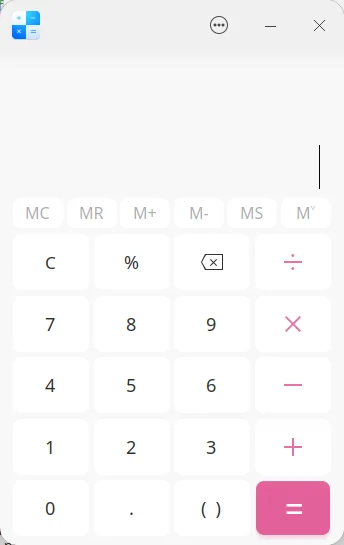
For debugging purposes, use the additional --exec /bin/bash parameter to replace the default program executed upon entering the container, for example:
ll-builder run --exec /bin/bash
Conversion application
Here, we use baidunetdisk as an example. We will introduce the process of converting DEB packages into Linglong packages
Obtain software package
First, obtain the deb package file. Currently, only software following the application store packaging specifications is supported for conversion.
apt download com.baidu.baidunetdisk
Conversion
ll-pica convert -c com.baidu.baidunetdisk_4.17.7_amd64.deb -w work -b --exportFile layer
Enter the directory
cd work/package/com.baidu.baidunetdisk/amd64
Installed using the ll-cli install command.
ll-cli install ./com.baidu.baidunetdisk_4.17.7.0_x86_64_runtime.layer
Successful execution output as follows:
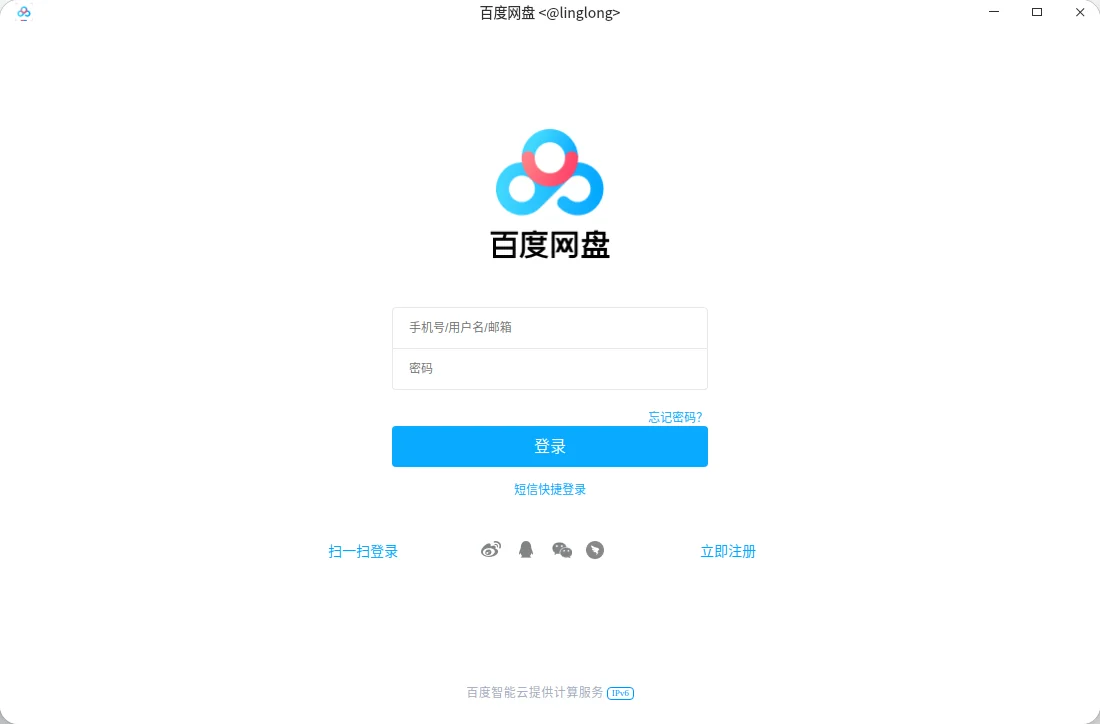
Documentation adapted from the versioned OpenAtom-Linyaps source. Examples describe the documented workflow; they are not a claim of a local Linux test.
© UnionTech Software Technology Co., Ltd. · LGPL-3.0-or-later