On this page
Keep three things togetherProcedureA complete filename exampleThree outcomesWhat a matching hash does not establishSources and next step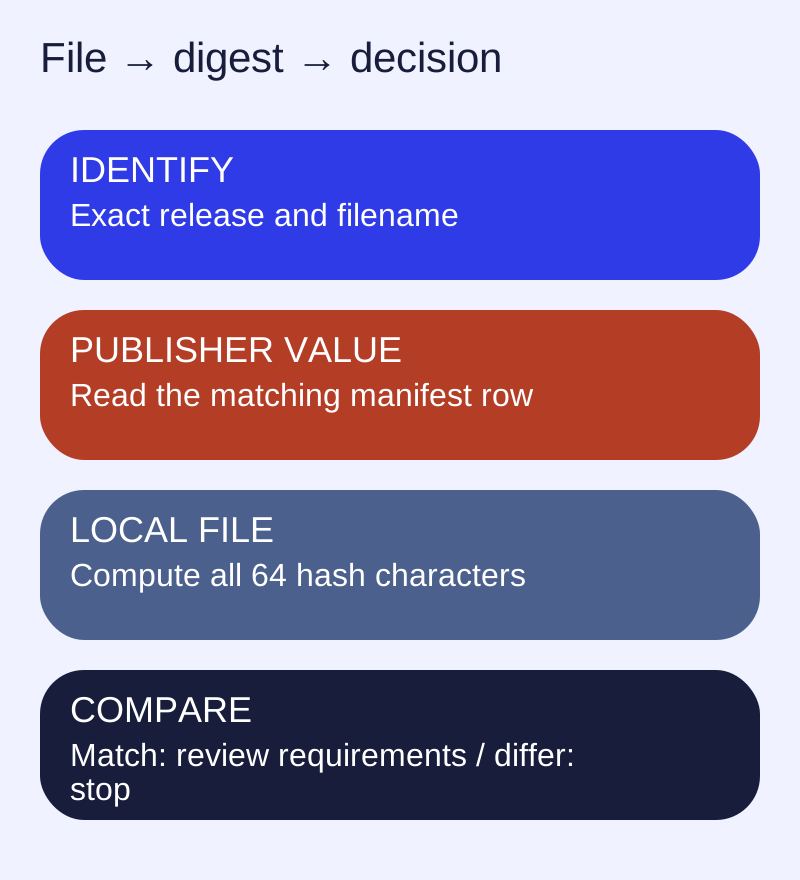
Keep three things together
Use a release page, a package and its checksum manifest from the same release. For this example, all three belong to 3.7.0. A checksum copied from a nightly build is not evidence about a stable package with a similar name.
Procedure
- Open the project’s exact 3.7.0 release page.
- Select the architecture and format using the release selector.
- Download that package and
hashes.sha256into a new directory. - Read the manifest entry whose filename exactly matches the downloaded package.
- Compute the local SHA256 and compare all 64 hexadecimal characters.
- If they differ, stop. Recheck the release, filename and download completion before retrying from the original publisher.
A complete filename example
For linglong-store_3.7.0_amd64.deb, use the same filename’s row in the published manifest. On a system with sha256sum, compute:
sha256sum linglong-store_3.7.0_amd64.debThe command reads the file; it does not install it. This website has obtained the publisher’s checksum manifest and release metadata, but has not downloaded or installed every binary. The selector labels the shown digest as the publisher’s value, not a locally measured binary result.
Three outcomes
| Observation | Next action |
|---|---|
| Exact filename and checksum match | Continue to distribution requirements and the normal installation route. |
| Filename is absent from the manifest | Verify which release and artifact you selected; do not substitute a nearby row. |
| Checksum differs | Do not install that file; investigate or download it again from the release publisher. |
What a matching hash does not establish
A hash helps verify that a file matches a published value. It is not a compatibility test, an independent security audit or a guarantee that the publisher account was uncompromised. Checking a signature is a different procedure and requires an independently trusted signing key.
Sources and next step
Versioned project reference · 3.7.0 release · Open the restored store