On this page
Begin with the failing boundaryFour questions to answerWorked incident: repository read failsA report another person can act onSources and next step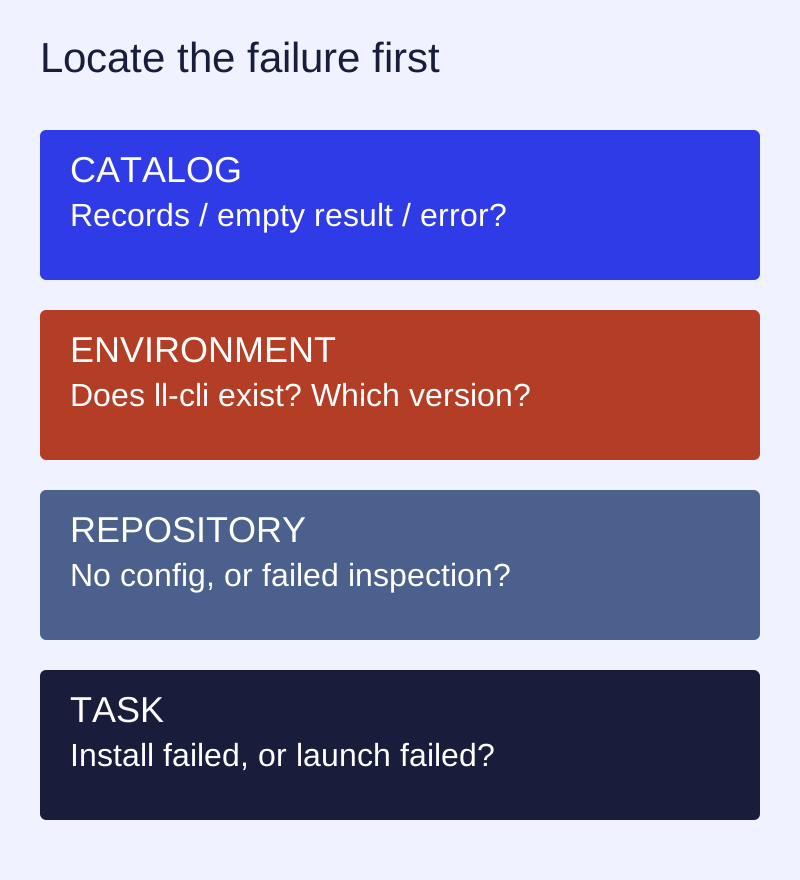
Begin with the failing boundary
A browser catalog and a local runtime can fail independently. During restoration, the old mirror API returned HTTP 200 with list: null and total: 0; the newer public store API returned records. That observation identifies an empty old service response. It does not show that the application ecosystem contains no software or that a visitor’s machine is broken.
Four questions to answer
- Does the catalog request return usable records, an explicit empty result, a timeout or an error?
- Does the local command exist, and which version is installed?
- Can the local package manager read repository configuration?
- Did installation fail, or did a successfully installed application fail to open?
ll-cli --version
ll-cli --help
ll-cli --json repo show
The last command is documented in the 3.7.0 store’s environment-detection design. If your version does not support it, stop and use its matching reference. Record command output and the exit code rather than treating an empty UI as a diagnosis.
Worked incident: repository read fails
The source describes a case where ll-cli is installed but repository inspection fails because the package-manager service is unavailable. That differs from having no repository configured. The client’s recovery requires an explicit user action and local authorization; this website does not restart services or offer a universal root repair script.
A report another person can act on
Store version:
Distribution and CPU:
ll-cli version:
Task: browse / inspect repository / install / launch
Application ID and repository:
Exact failed command or URL:
Exit code and original error:
Expected result:
Actual result:
Reproduction steps:
Sensitive information removed:
The source distinguishes an original machine error from a translated display message. Keep the original error for reproduction, but review logs for tokens, personal paths and identifiers before sharing them. A recovery process finishing successfully still needs a new attempt at the original task.
Sources and next step
Versioned project reference · 3.7.0 release · Open the restored store