On this page
Locate the boundary that failedCollect a minimal baselineReduce the exampleA worked example of evidenceBefore sharing logsCopyable report template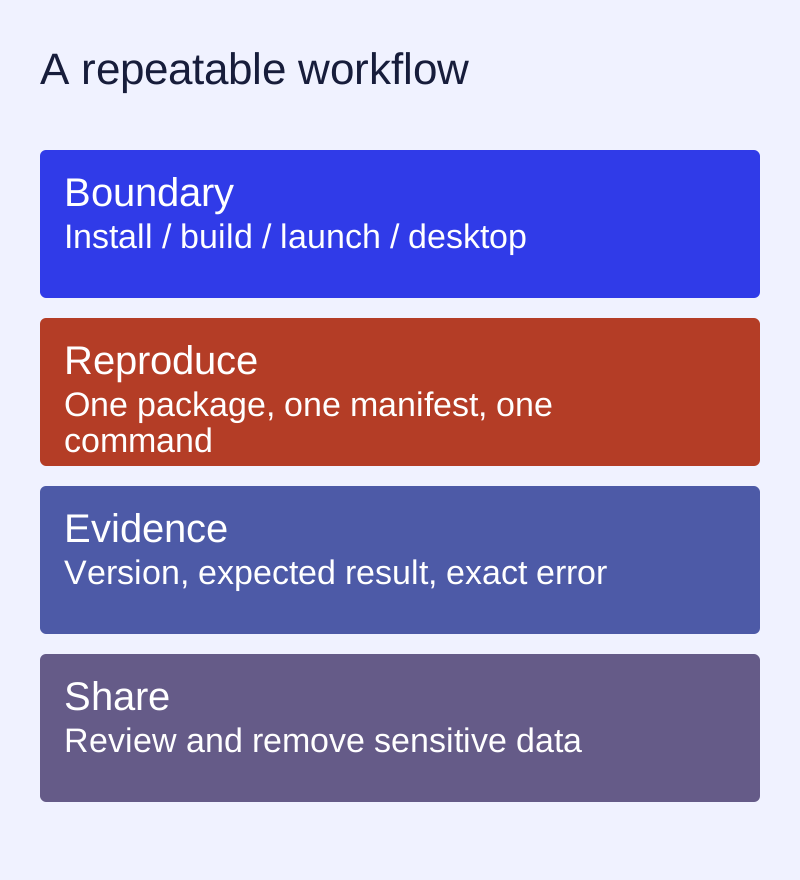
Locate the boundary that failed
An unavailable command, a repository download error, a build error and a desktop window that never appears are different problems. Start from the first failing step. Repeatedly reinstalling unrelated packages can erase the useful evidence.
Collect a minimal baseline
ll-cli --version
ll-cli list
ll-cli ps
For a build problem, also record ll-builder --version and the relevant manifest. Check the matching version's help before adding flags. Record distribution, release and architecture without posting a machine hostname or unrelated personal information.
Reduce the example
- Keep one application ID, one manifest and one command.
- Copy the exact error, including the first relevant line above a final failure message.
- Describe what you expected and what actually happened.
- Record whether the same package launches from the CLI and from the desktop entry.
- Attach only the minimum files needed to reproduce the failure.
A worked example of evidence
“The app is broken” is not enough. A useful report says: “Installation of application ID X completed. Running command Y returned error Z. No application window appeared. The installed ll-cli version is V.” X, Y, Z and V are fields to fill with real output, not invented test results. If the CLI works but the launcher does not, inspect desktop integration rather than assuming the package download failed.
Before sharing logs
Remove tokens, private repository URLs, home-directory names, document contents and unrelated process information. Review screenshots for account details. Do not publish an entire environment dump. These site tools do not collect or upload your diagnostic data.
Copyable report template
Summary:
Distribution / release / architecture:
ll-cli / ll-builder version:
Application ID / package version:
Exact command:
Minimal reproduction steps:
Expected behaviour:
Actual behaviour and error:
Relevant sanitized log excerpt:
What changed immediately before the problem:
Search existing project issues for the exact error and version before opening another report. Link a matching issue when available, but do not assume that an old workaround still applies to your release.