On this page
Detailed explanation of the working principle of ll-pica-flatpak convertInstall FlatpakAdd Flathub repositoryReplace with domestic mirror——(Here are two domestic high-speed mirror sites of Shanghai Jiao Tong University- Siyuan – Zhiyuan )Add several very important commands and share them here1. Linyapsbase and runtime query methods2.Flatpak queries the metadata information of the application (no need to install the application locally)Author:克亮 · Original source: https://bbs.deepin.org/post/291716
What is pica? How to use pica?
Official document introduction: https://linyaps.org.cn/guide/ll-pica/introduction.html
ll-pica is a set of tools for converting application packages in different formats (deb, AppImage, Flatpak) into Linyaps (Linglong) format application packages. The toolset consists of binaries and scripts, forming a complete application package conversion ecosystem.
deepin V23-25 system can open the terminal by right-clicking and typing apt download linglong-pica to obtain the installation deb package
The latest version of the current repository is linglong-pica_1.2.4-1+u005_amd64.deb
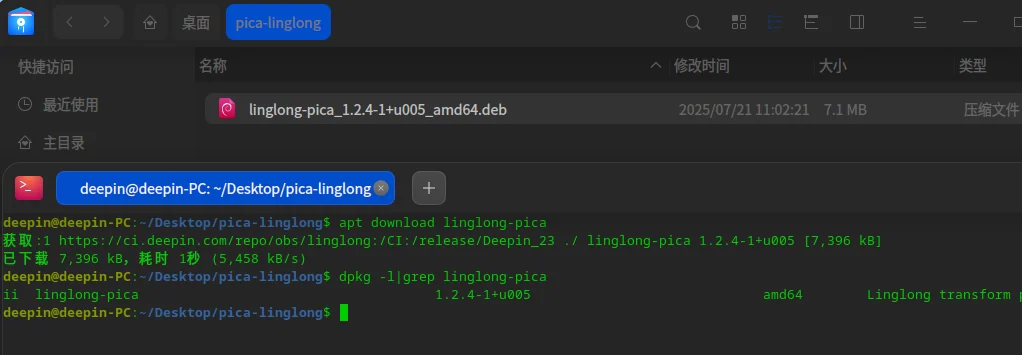
We can unpack the deb package through the dpkg-deb -R command to find out what is inside (it contains binary files and related scripts)
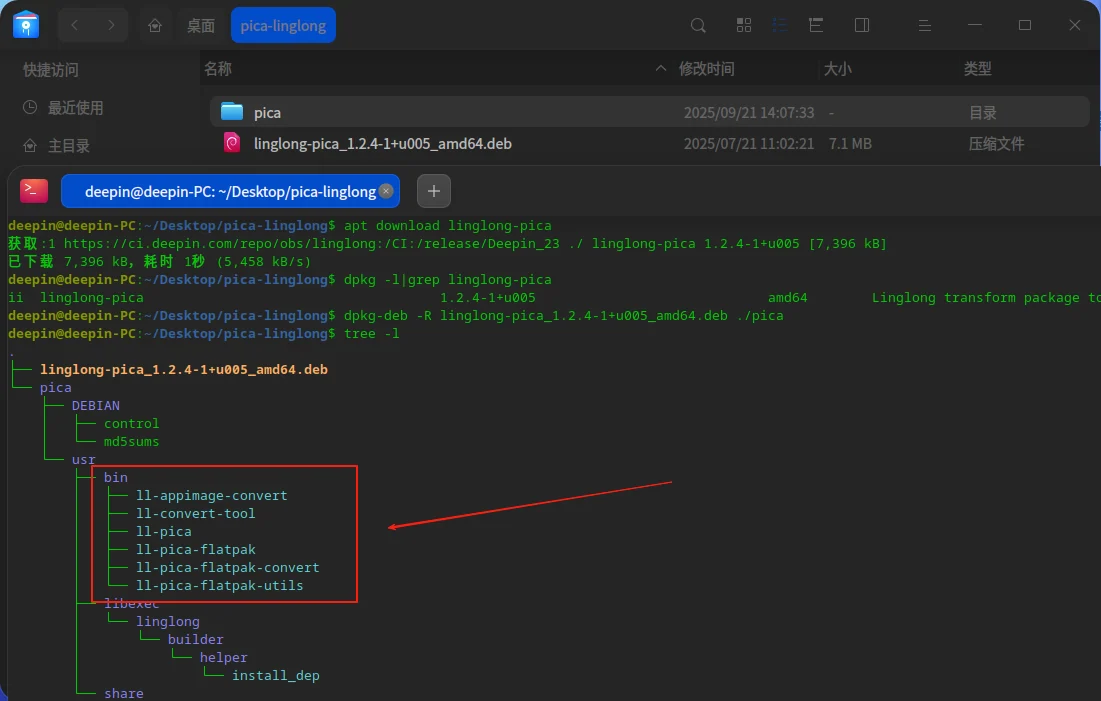
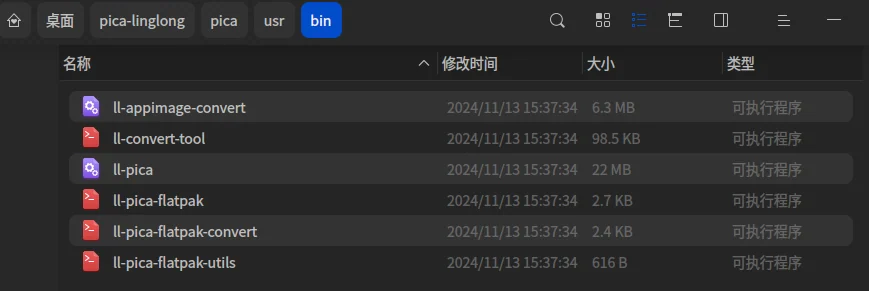
- ll-pica – Main tool for converting DEB packages into Linyaps applications (layer, uab-offline package)
- ll-pica-flatpak – For converting Flatpak apps into Linyaps apps
- ll-appimage-convert – For converting AppImage apps into Linyaps apps
- ll-convert-tool – A helper script that provides various utility functions
DEB package conversion (ll-pica)/AppImage application conversion (ll-appimage-convert)/Flatpak application conversion (ll-pica-flatpak)
DEB package conversion (ll-pica)
https://linyaps.org.cn/guide/ll-pica/convert.html
AppImage application conversion (ll-appimage-convert)
https://linyaps.org.cn/guide/ll-appimage-convert/convert-appimage.html
Flatpak application conversion (ll-pica-flatpak)
https://linyaps.org.cn/guide/ll-flatpak-convert/convert-flatpak.html
Let’s focus on learning and understanding how to use ll-pica-flatpak convert to convert flatpak applications into Linyaps applications
Detailed explanation of the working principle of ll-pica-flatpak convert
1. Initialization and configuration-(the first run is a bit long)
- Environment settings :
- Set Flathub cache directory:
$HOME/.cache/linglong-pica-flathub - Setup configuration file:
$HOME/.pica/ll-pica-flatpak-config.json - Set reference file:
$HOME/.pica/ll-pica-flatpak-refs.txt
- Set Flathub cache directory:
- Parameter handling :
- Receive application ID
- Handle optional parameters:
--base: Specify the base image name--base-version: Specify the base image version--version: Specify application version--build: Whether to build UAB package--layer: Whether to export the installation package in layer format The format of
- Initialize ostree repository :
- Create ostree repository:
ostree init --repo="$FLATHUB_CACHE" --mode bare-user-only - Add Flathub remote repository:
ostree --repo="$FLATHUB_CACHE" remote add --if-not-exists --no-sign-verify flathub "$FLATHUB_URL"
- Create ostree repository:
2. Application acquisition and extraction
- Generate reference cache :
- Generate reference cache if referenced file does not exist:
ll-pica-flatpak-utils generate_ref_cache
- Generate reference cache if referenced file does not exist:
- Pull application :
- Use ostree to pull applications:
ostree --repo="$FLATHUB_CACHE" pull "$REF" - Among them
$REFis:flathub:app/$APPID/$ARCH/stable
- Use ostree to pull applications:
- Checkout application :
- Create working directory:
mkdir -p "$WORKDIR" - Checkout application:
ostree --repo="$FLATHUB_CACHE" checkout "$REF" "$WORKDIR/flatpak"
- Create working directory:
3. Metadata extraction and processing
- Extract Flatpak metadata :
- Extract commands from metadata files:
grep '^command=' $WORKDIR/flatpak/metadata - Extract runtime information:
grep '^runtime=' "$WORKDIR"/flatpak/metadata
- Extract commands from metadata files:
- Determine Linyaps base image :
- Generate Linyaps base image name based on Flatpak runtime:
org.deepin.base.flatpak.$(echo "$FLATPAK_RUNTIME"|awk -F'.' '{print $2}') - Generate base image version: Convert Flatpak runtime version to Linyaps version format
- Generate Linyaps base image name based on Flatpak runtime:
4. Path adjustment
- Handling desktop files :
- Find all .desktop files
- Extract Exec lines
- will
/appPath replaced with/opt/apps/$APPID/files
- Determine binary file path :
- Extract binary file names from Exec lines
- Determine final path based on path type (absolute/relative)
5. Generate Linyaps configuration file
1. Create linglong.yaml
2. Create profile file
6. Build and Export
- Build UAB package :
- If specified
--buildoption, execute:ll-builder build
- If specified
- Export :
- If specified
--layeroption, execute:ll-builder export --layer - Otherwise execute:
ll-builder export
- If specified
After extensive application testing, it was found that ostree Pulling the application takes longer than expected and is very unstable. To solve this problem. I made several plans and shared my journey with you as follows:
For novices, they must first configure the Flatpak store locally and open the website https://flathub.org/zh-Hans Install Flatpak according to your own distribution, here we use Deepin for demonstration.
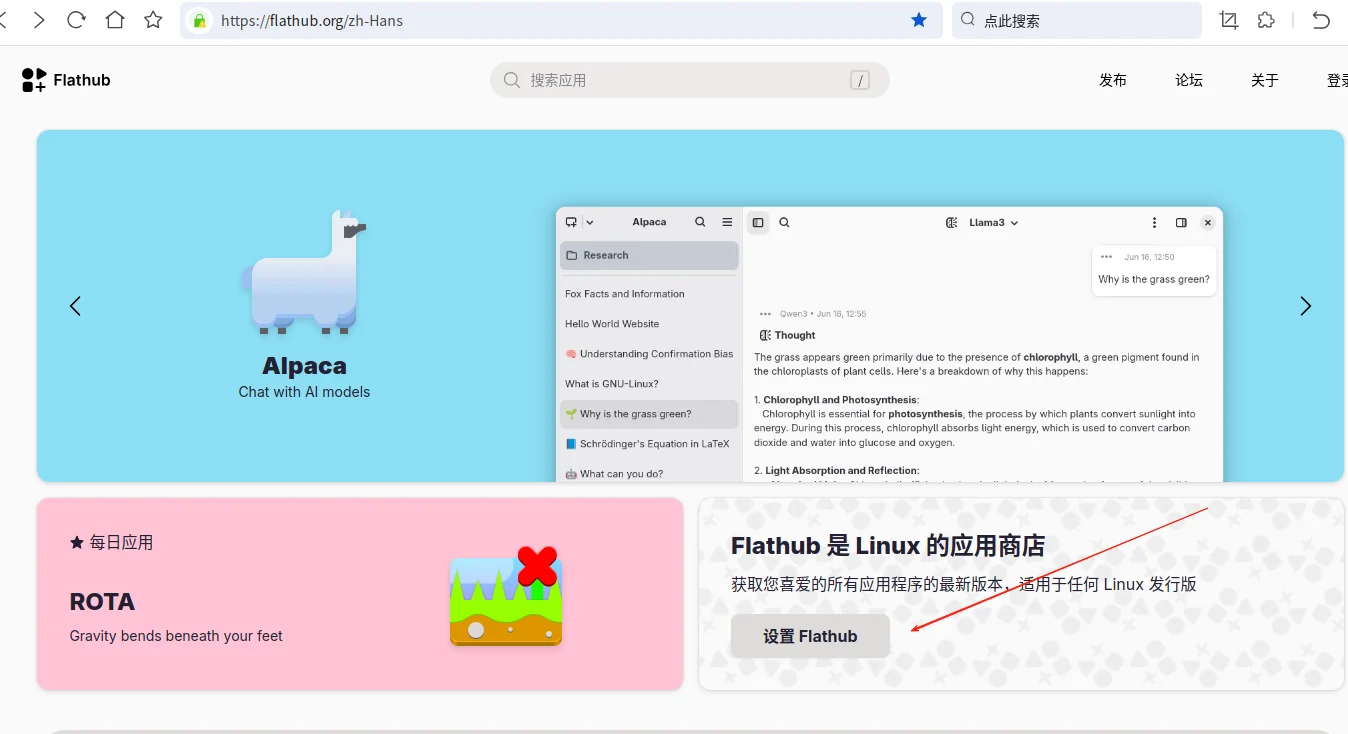
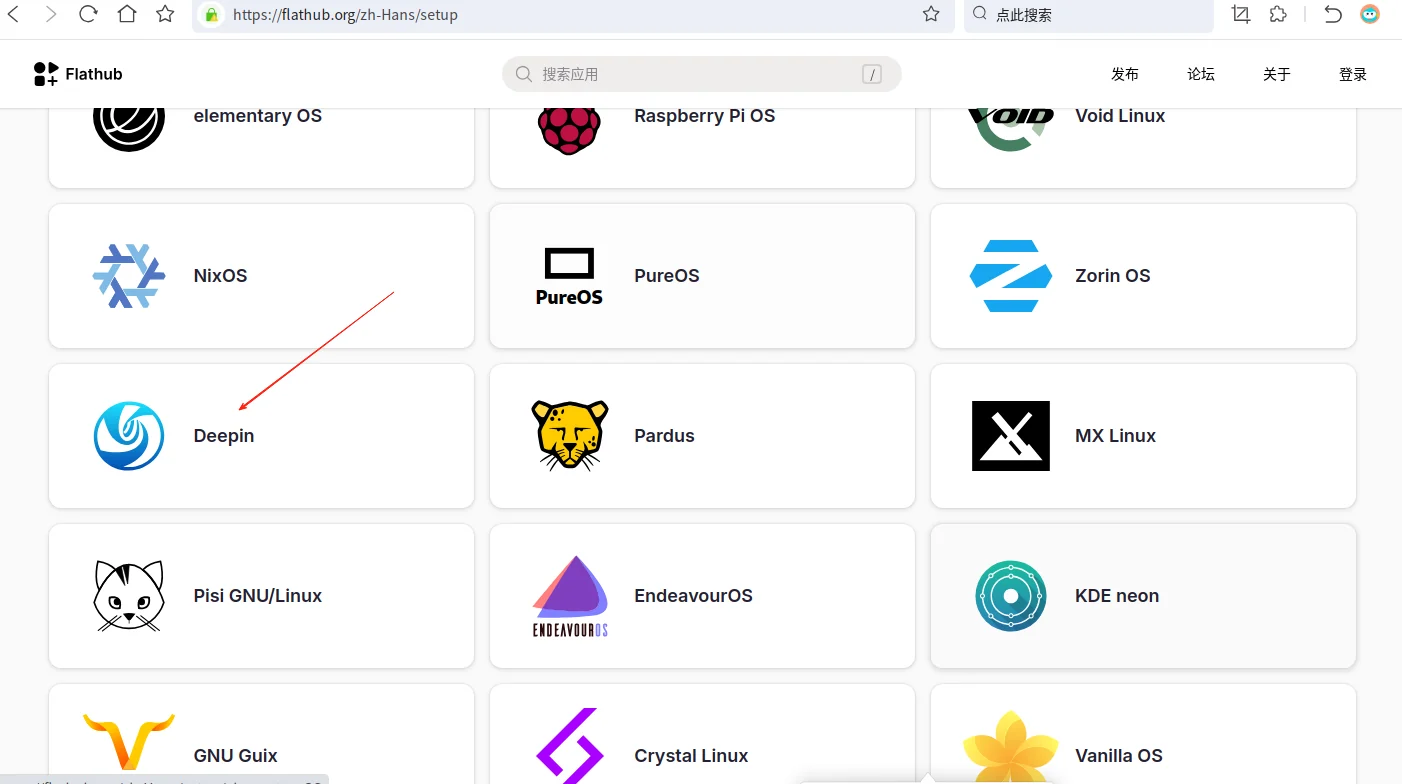
Install Flatpak
sudo apt install flatpak
Add Flathub repository
flatpak remote-add --if-not-exists flathub https://dl.flathub.org/repo/flathub.flatpakrepo
Replace with domestic mirror——(Here are two domestic high-speed mirror sites of Shanghai Jiao Tong University- Siyuan – Zhiyuan )
sudo flatpak remote-modify flathub --url=https://mirror.sjtu.edu.cn/flathub
sudo flatpak remote-modify flathub --url=https://mirrors.sjtug.sjtu.edu.cn/flathub
If you want to restore the official source:
flatpak remote-modify flathub --url=https://dl.flathub.org/repo
If you want to view the details of the flatpak repository
flatpak remotes --show-details

At this point, the introduction to Flatpak has been completed. If there are any mistakes, please teach me more!
Method 1: Change the default repository in the Flathub cache directory config to the domestic mirror site of Shanghai Jiao Tong University) as shown below
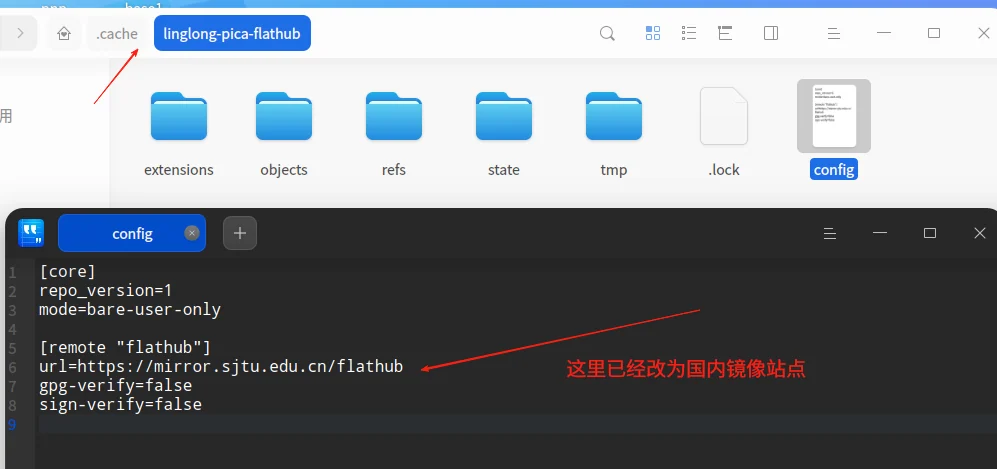
Add several very important commands and share them here
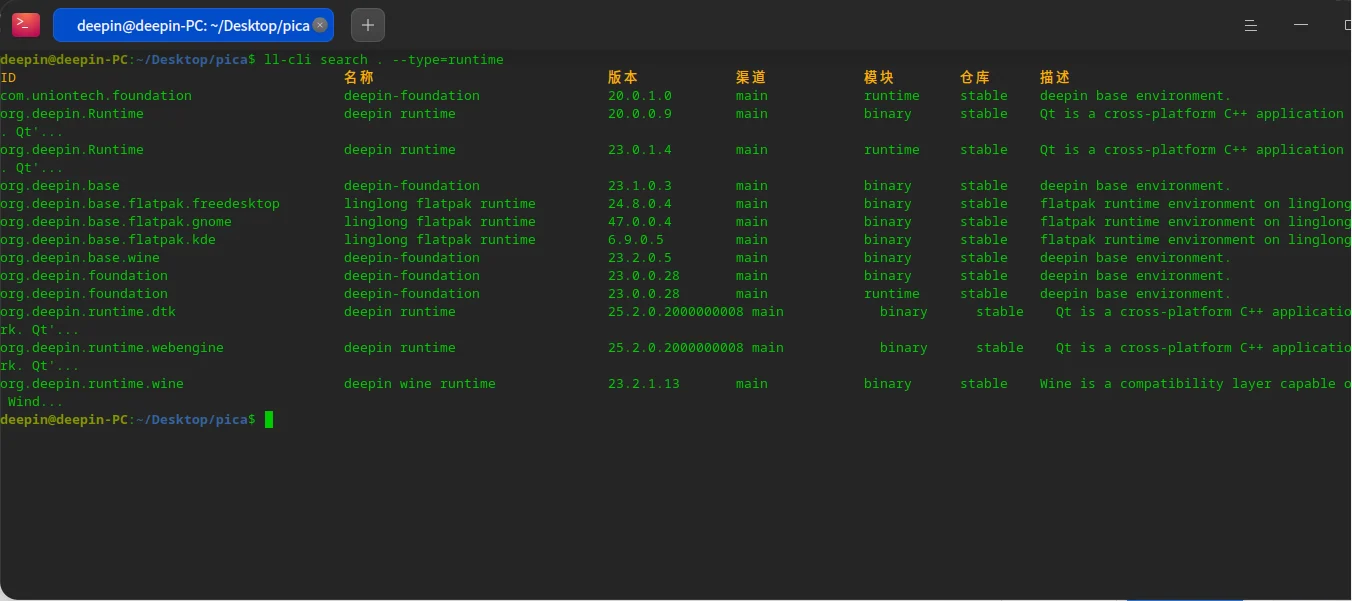
1. Linyapsbase and runtime query methods
Show latest version only
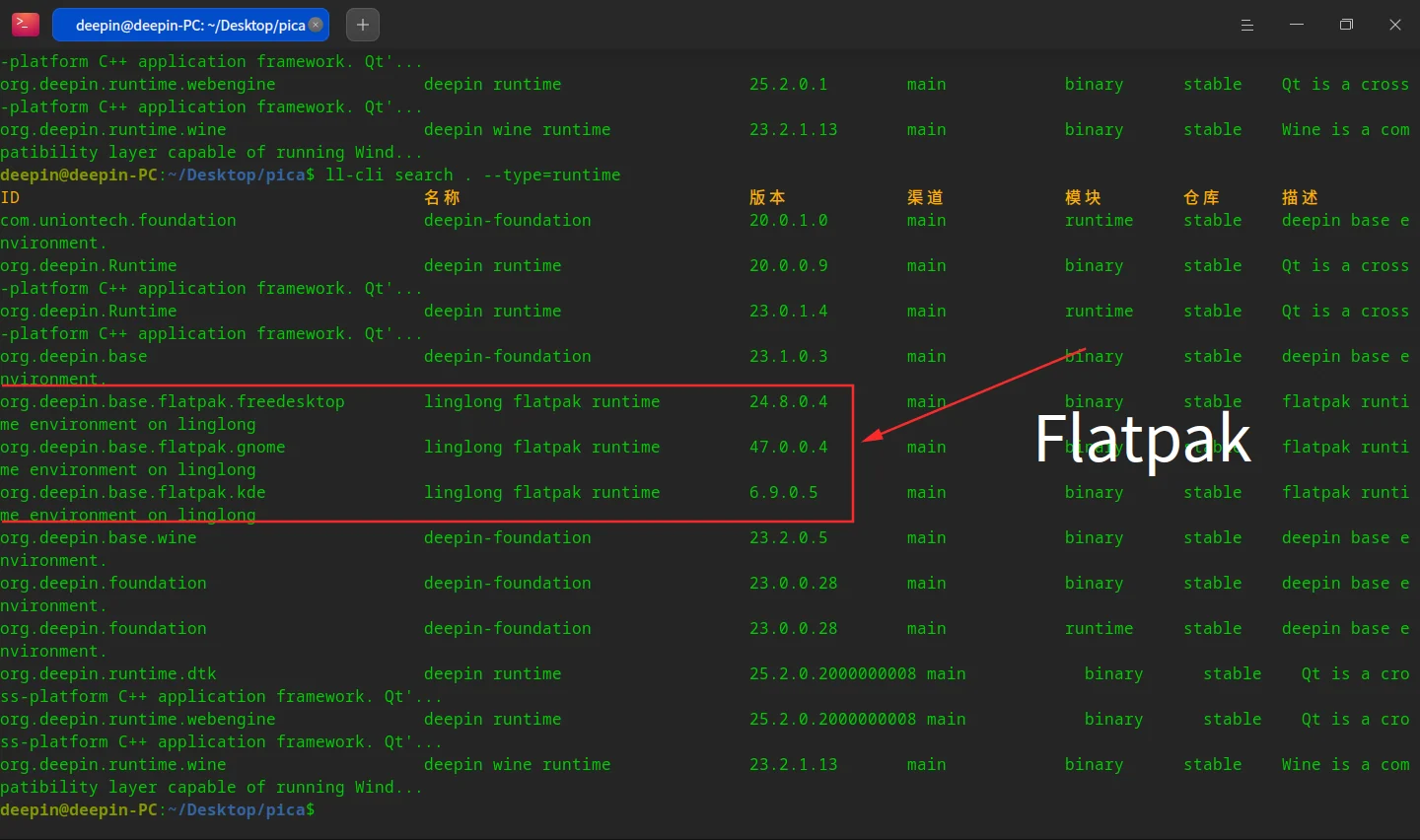
ll-cli search . --type=runtime
View all versions in the repository
ll-cli search . --type=runtime --show-all-version
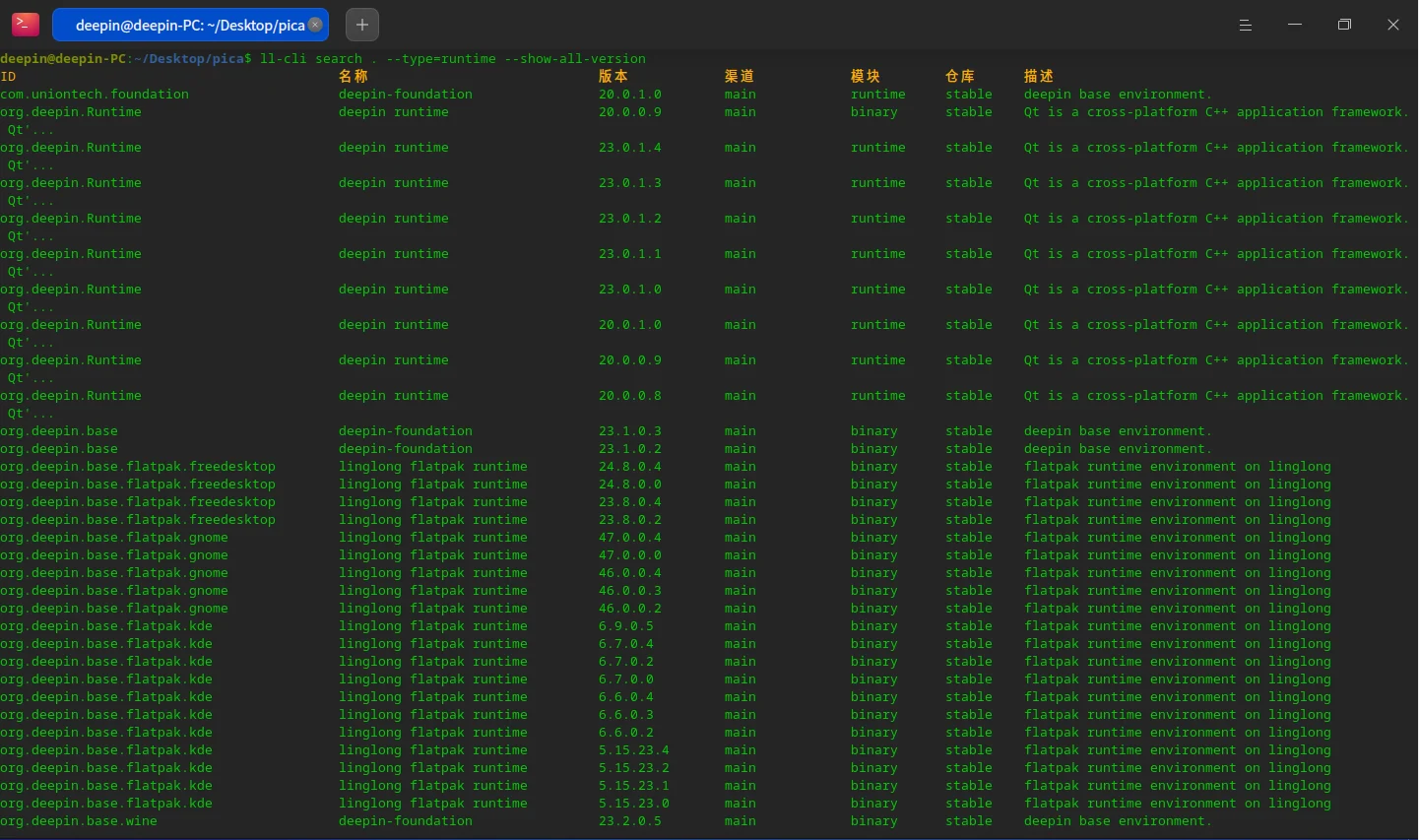
The red box below is the Linyaps base image name generated based on Flatpak runtime.
(If some flatpak applications do not have a corresponding runtime version, you can manually modify the version number in linglong.yaml to test whether it can run normally)
2.Flatpak queries the metadata information of the application (no need to install the application locally)
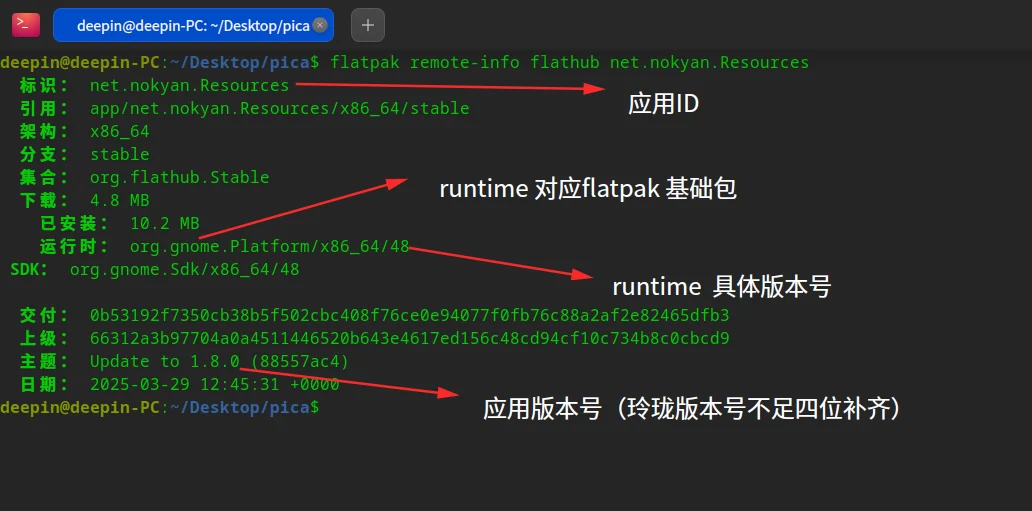
flatpak remote-info [远程仓库名] [应用ID]
For example, I want to query an application with the ID net.nokyan.Resources. Enter the following command in the terminal.
flatpak remote-info flathub net.nokyan.Resources
English edition: Linglong · 18 October 2026. Original publication: 2025-09-21.