On this page
Various ways to install and experience Linyaps applications on deepin 23System RequirementsStart using LinyapsVarious ways to install and experience Linyaps applications on deepin 23
System Requirements
Since the official version of deepin 23 has the Linyaps environment pre-installed by default, there is no need to install the software packages required for Linyaps by yourself like third-party distributions. However, given that the Linyaps main program currently adopts a rolling update mode and the Linyaps main program is iterated regularly with internal beta updates, it is recommended to join the deepin 23 internal beta channel and keep the system up to date, so that you can experience the latest features of the Linyaps solution and get timely problem fixes.
Nonetheless, you need to ensure that the system meets the following requirements:
系统版本号: deepin 23
平台: x86_64
其他: DDE图形化桌面环境
Warning: Linyaps solution is not suitable for root users
Start using Linyaps
Install and run Linyaps application
After completing the above steps, you now have the ability to enjoy Linyaps applications!
On deepin 23, there are three ways to install the Linyaps application:
- Deepin App Store (preferred recommendation for ordinary users)
- Linyaps command line package management tool
- Linyaps online application store
- Install and run through offline packages, such as ".layer" or ".uab"
Deepin App Store Installation
Currently, the Deepin application store in deepin 23 already supports the installation and management of Linyaps applications. You can go to the Deepin application store to explore the Linyaps applications you are interested in.
For example, I found from the tweet "Highlights of the "Linyaps" Application Migration Competition" that one of the successfully migrated applications included "Siyuan Notes". Then when I searched for "Siyuan Notes" in the app store, I found that it provides the Linyaps version. We clicked on the installation and waited for the task to be completed. 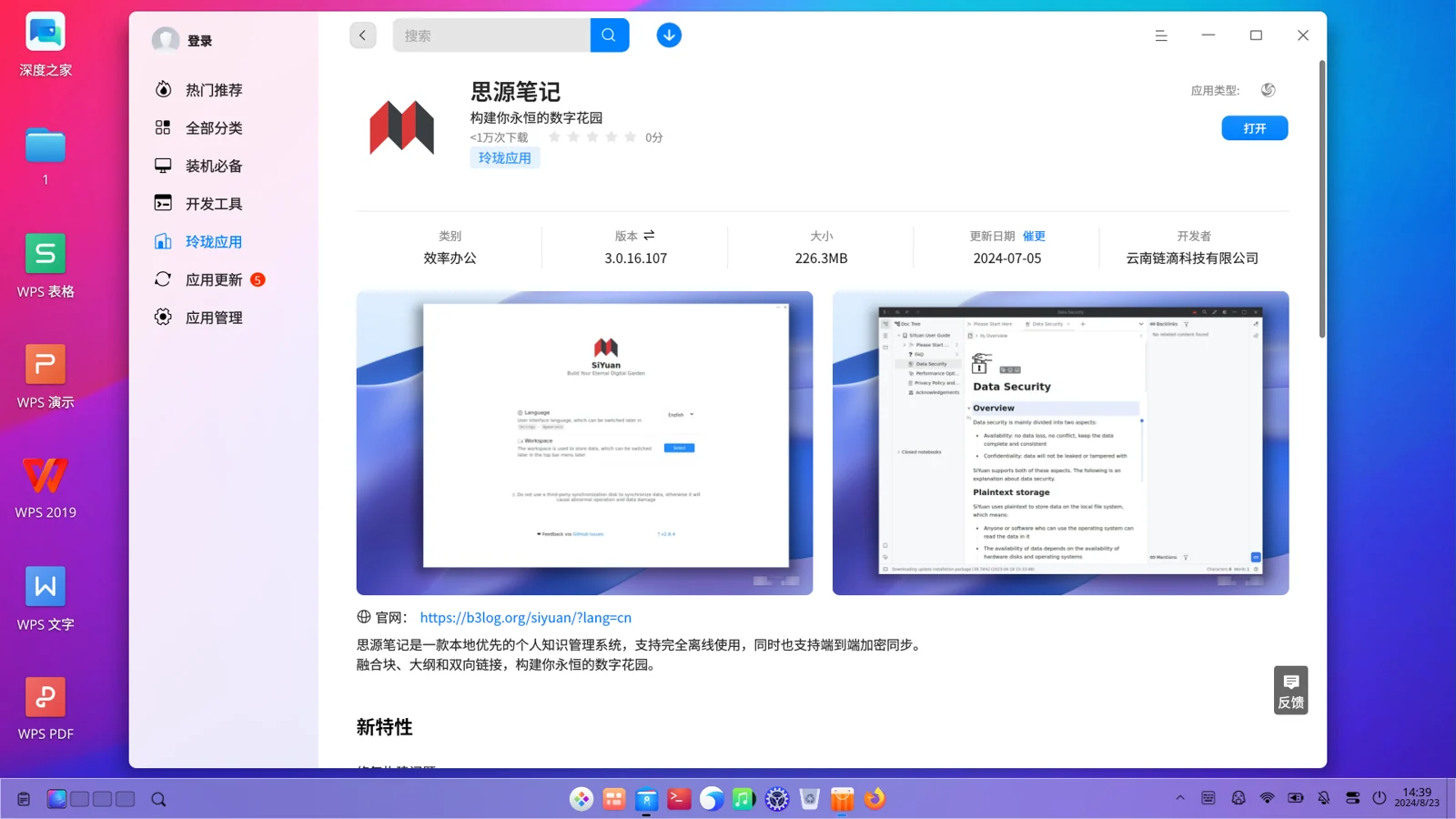
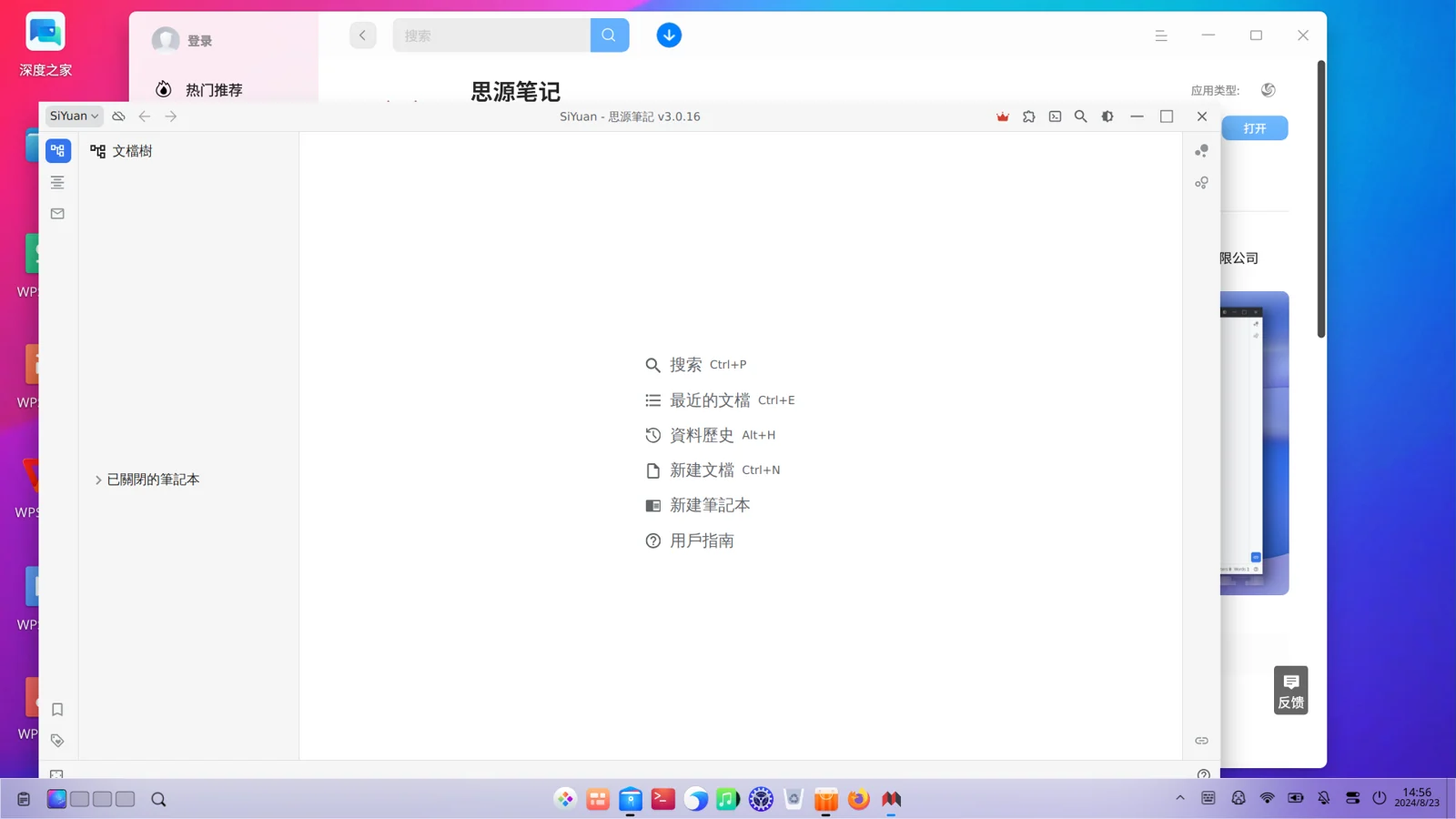
After the installation is complete, let's launch the Linyaps application, it seems to run almost perfectly. Open a file, save a file etc….
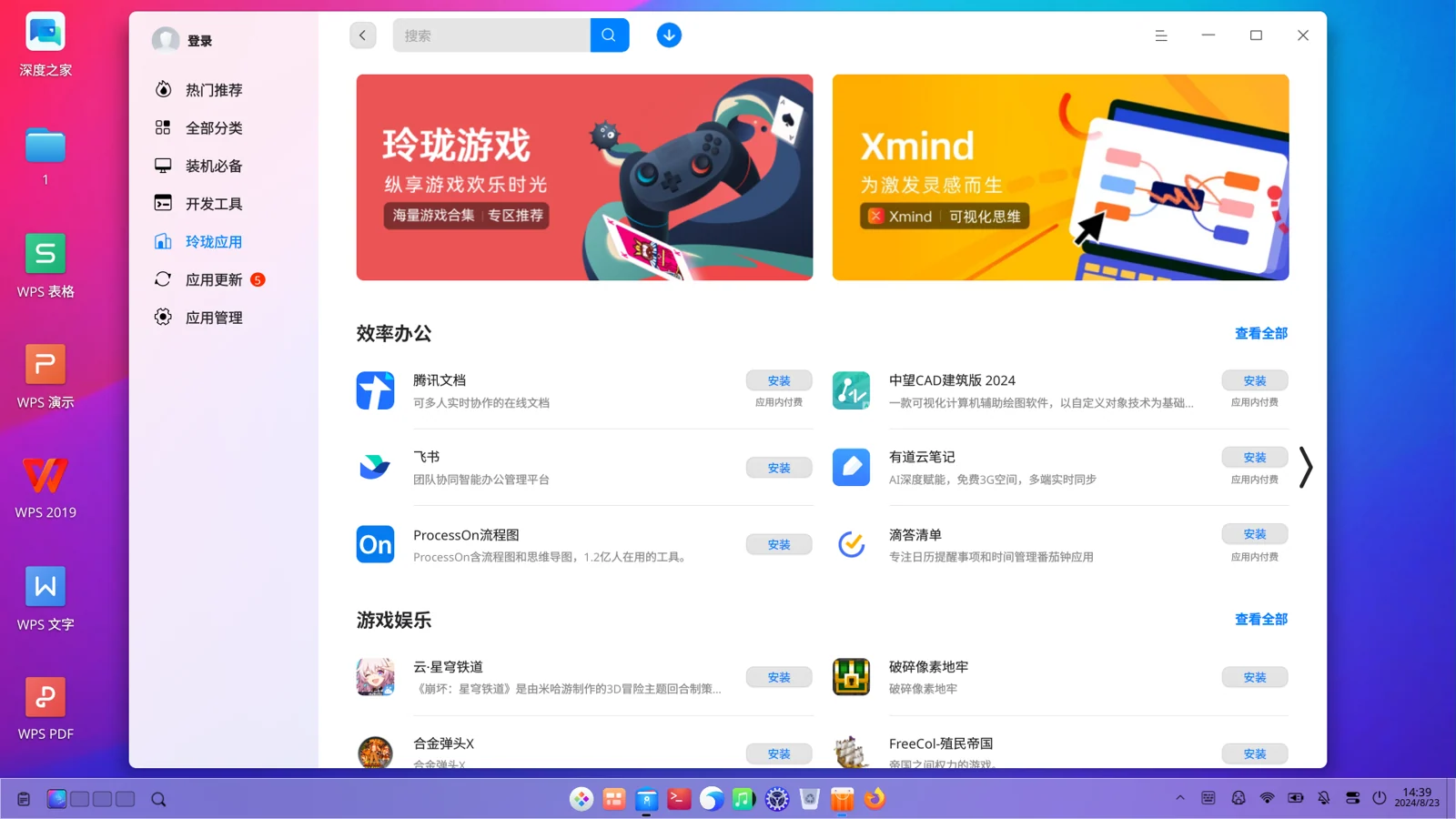
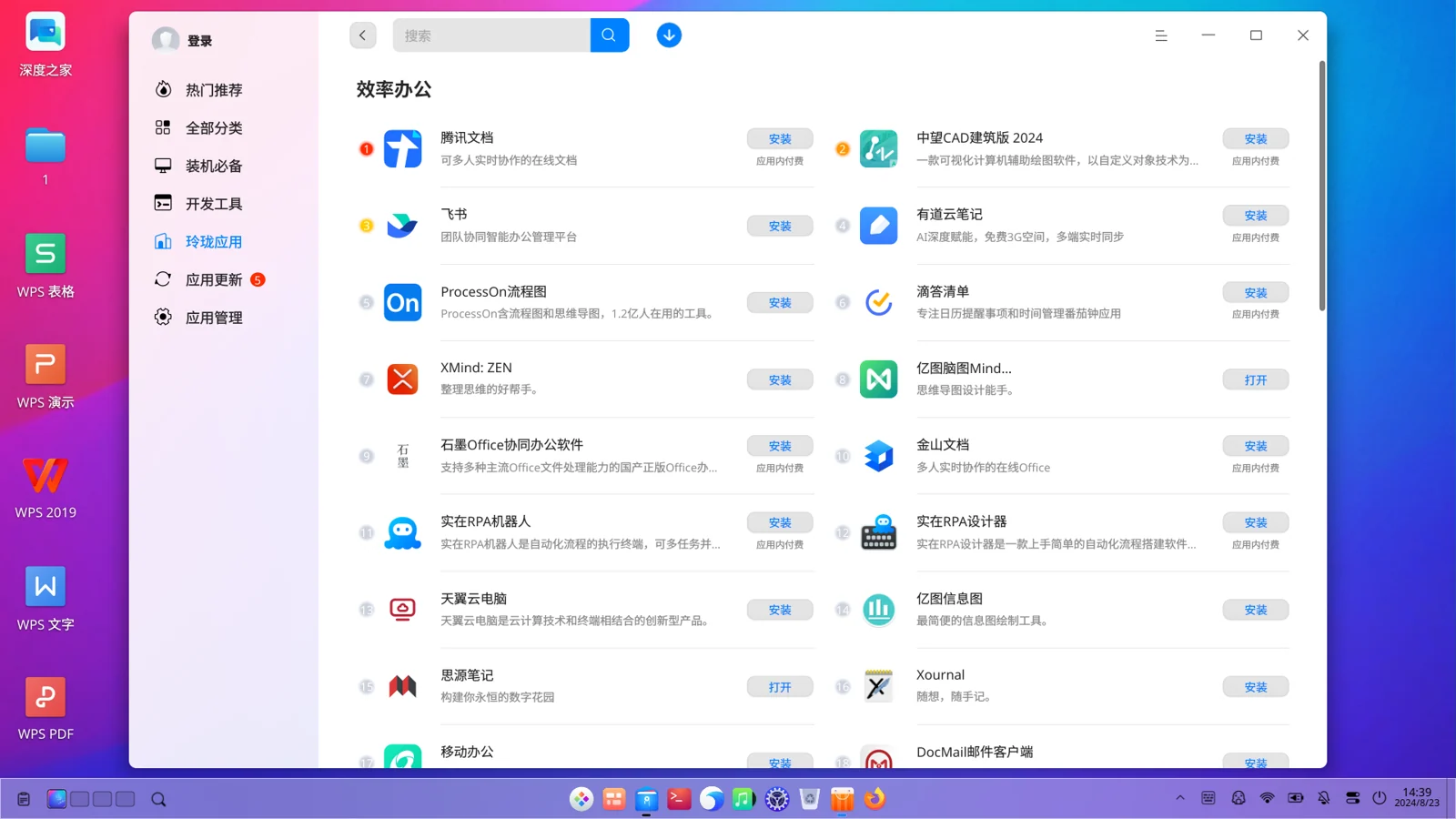
If you just want to know what Linyaps versions of high-quality applications are currently provided in the app store, then when you start the app store on deepin 23, you can enter the "Linyaps Applications" section, which displays high-quality Linyaps applications according to different application categories.
Linyaps command line package management tool
You can also install existing applications in the Linyaps repository through the command line package management tool.
For example, if I now want to know whether "Siyuan Notes" is provided in the Linyaps repository, then I can confirm whether it exists and obtain the specific package name by fuzzy searching for the English name "siyuan" of "Siyuan Notes"
ziggy@ziggy-PC:~$ ll-cli search siyuan
If the application does exist in the repository, you will get the following information feedback
id                              name                            version         arch        channel         module      description
com.siyuan.deepin.linyaps       SiYuan                          3.0.16.107      x86_64      main            binary      Fuse blocks, outlines, and bidirectional links
to bui...
At this time, the value corresponding to the "id" field is the package name of the Linyaps application. After that, you can install the Linyaps application through the package name.
ziggy@ziggy-PC:~$ ll-cli install com.siyuan.deepin.linyaps
After the installation is complete, you can enter the following content to determine whether the application corresponding to this ID has been installed.
ziggy@ziggy-PC:~$ ll-cli list |grep com.siyuan.deepin.linyaps
If the following results are returned, it means you can now enjoy the fun of Linyaps application!
ziggy@ziggy-PC:~$ ll-cli list |grep com.siyuan.deepin.linyaps
com.siyuan.deepin.linyaps       SiYuan                          3.0.16.107      x86_64      main            binary      Fuse blo
Linyaps web application store
In addition, you can also pass Linyaps web application store Install Linyaps application. For example, the Linyaps application I am about to install is "Baidu Cloud Disk", and then I can install it by clicking the "INSTALL" button on the lower right.
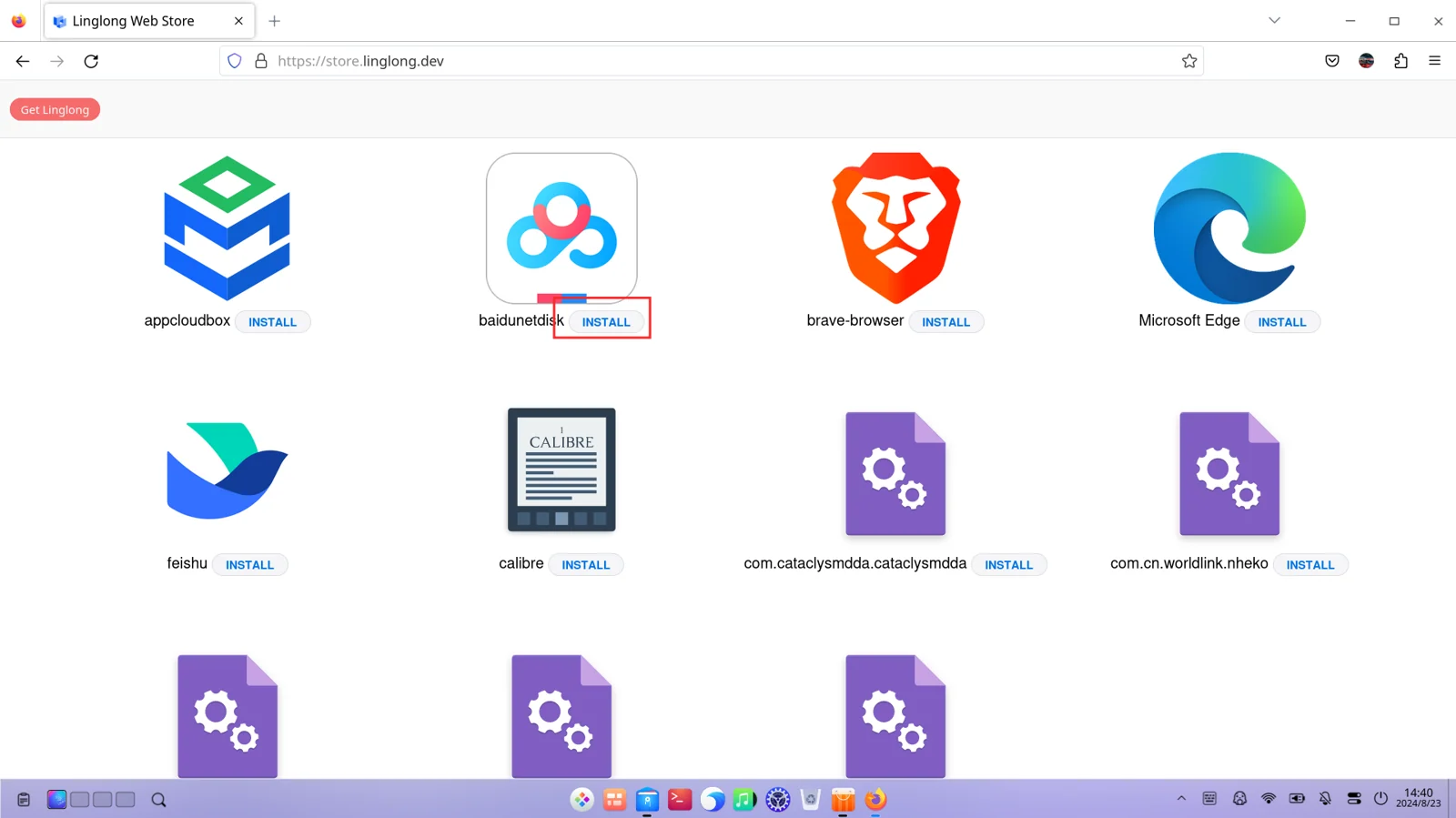
After completing the installation, you are now ready to experience the Linyaps application!
Standalone installation files
Linyaps supports application installation through independent installation files, such as ".layer" and ".uab". If someone shares a file named "com.siyuan.deepin.linyaps_3.0.16.107_x86_64_binary.layer" with you, you can use this file to install the corresponding Linyaps application.
It is worth noting that the term "independent installation file" is used here instead of "offline installation file" because installing the Linyaps application through the ".layer" file requires an Internet connection, so you need to keep the network connection open before the installation is completed.
For the command parameters used for specific installation, please refer to the above "Using the Linyaps command line package management tool to install applications". Suppose you are going to install the "com.siyuan.deepin.linyaps_3.0.16.107_x86_64_binary.layer" file that someone shared with you. Then you should first enter the directory where the file is stored, and then open a terminal in this directory to ensure that the directory contains this file when you execute the command later.
For installation parameters, please refer to:
ziggy@ziggy-PC:~$ ll-cli install ./com.siyuan.deepin.linyaps_3.0.16.107_x86_64_binary.layer
After the installation is complete, you can refer to the above "Installing applications using the Linyaps command line package management tool" to confirm whether the installation is complete. At this time, the application ID should be "com.siyuan.deepin.linyaps"
Of course, you can also install layer files in other directories, but you need to specify the full path of the file when installing:
ziggy@ziggy-PC:~$ ll-cli install /home/ziggy/Downloads/com.siyuan.deepin.linyaps_3.0.16.107_x86_64_binary.layer
Please note that the path here is only for example. When using it on a real machine, please copy the correct full file path of the file and replace it here.
The most anticipated format currently is “.uab”. uab supports offline loading and processing, which means you do not need to install additional runtime or software packages. This mode also supports running in an offline environment, and the installation and operation methods are simple.
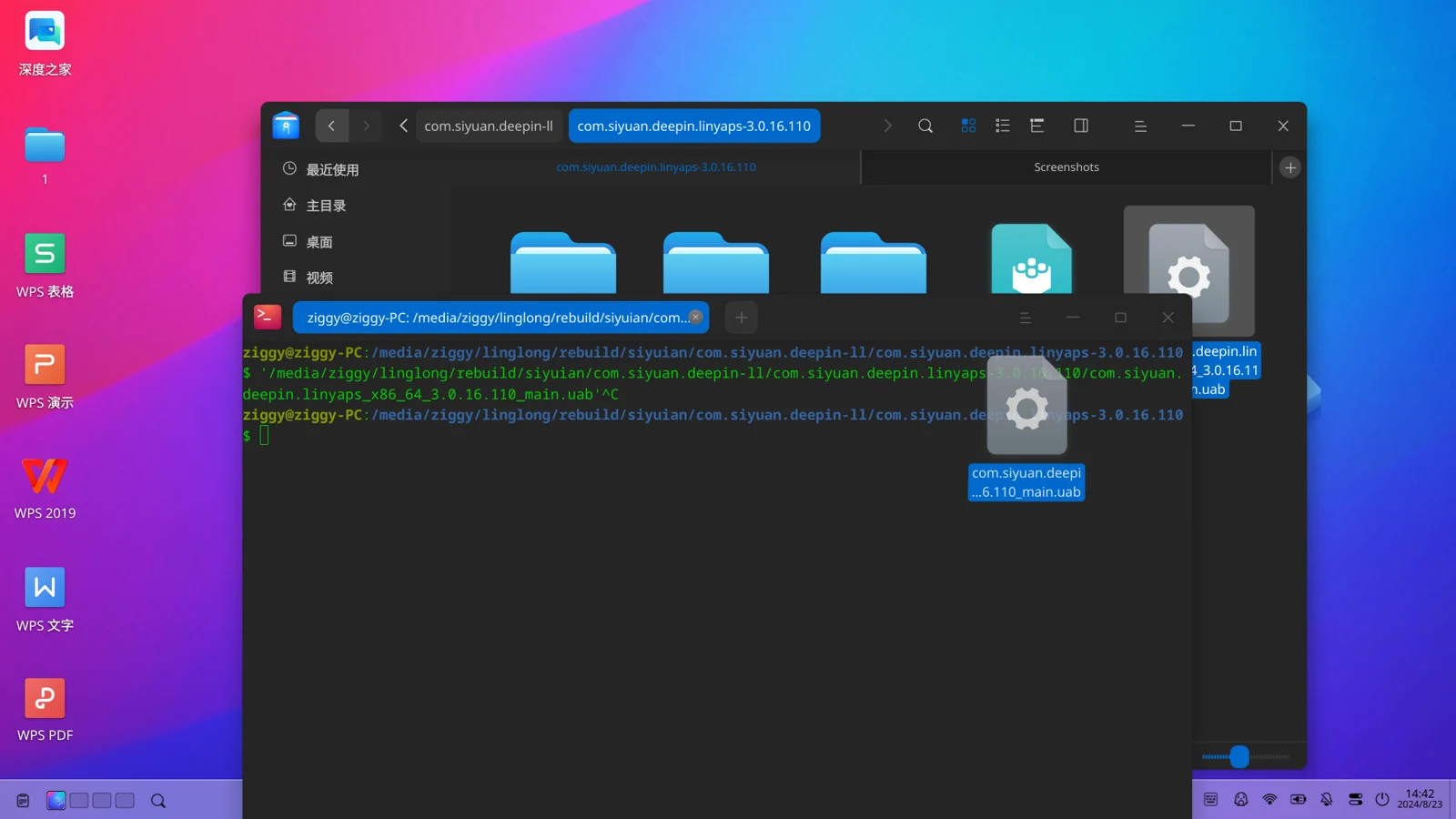
Currently, the official version of deepin 23 supports running Linyaps applications in ".uab" format in the terminal. Suppose you are going to install and run the "com.siyuan.deepin.linyaps_x86_64_3.0.16.110_main.uab" file that someone shared with you. At this time, all you need to do is open the terminal and drag the file into the terminal for execution, so that you can start loading the Linyaps application.
English edition: Linglong · 18 October 2026. Original publication: 2024-09-02.