C++ cross-standard version compatibility detection example
Before the start of this chapter, let’s briefly introduce the current runtime status provided by the Linyaps ecosystem. Currently, versions 20 and 23 of Runtime and Foundation are provided for building and running programs. In some scenarios, maintainers need to choose the appropriate Runtime and Foundation based on the actual situation or error information.
Before choosing the Runtime and Foundation suitable for the current project, you need to pay special attention to the important differences between different versions so that you can better choose the appropriate version. You can refer to the following table:
Runtime/Foundation:
| Version | Base | GCC |
|---|---|---|
| 20.0.0 | deepin V20 | 8.3.0 |
| 23.0.0 | deepin V23 | 13.2.0 |
Note: The actual version number of Runtime/Foundation in Linyaps is displayed with four decimal digits. The first digit represents the version number, that is, different system baselines. The fourth digit version number supports automatic matching. When the fourth digit version number does not exist, the build program will automatically use the latest version of the system baseline Runtime.
For suggestions on the selection of Runtime and Foundation versions, if you are converting from a deb package, we generally recommend using a Runtime version that is similar to the build environment. For example, I used GCC 8.3 on the deepin V20 platform to build an open source Qt application and packaged it as a deb installation package. Now I need to convert the deb package into a Linyaps application. Then we should choose the Runtime 20.0.0 version with a similar environment when building and exporting.
But for daily application ecological maintenance, the application installation package you maintain is not always compiled and built by you. You do not know which GCC version the binary file is compiled on, so you need to use the latest version for build testing. If the build fails, you can analyze the error message to confirm the appropriate Runtime version.
This case uses the commercial closed-source software "QQ Music Linux Edition". After converting the deb package into the Linyaps installation file "layer" through a script according to Chapter 1 and installing it into the system, it is found that there is no response when opened through the launcher. For this node, you can refer to the debugging method used in the "adep module" stage to confirm whether there is an error message that prevents successful startup.
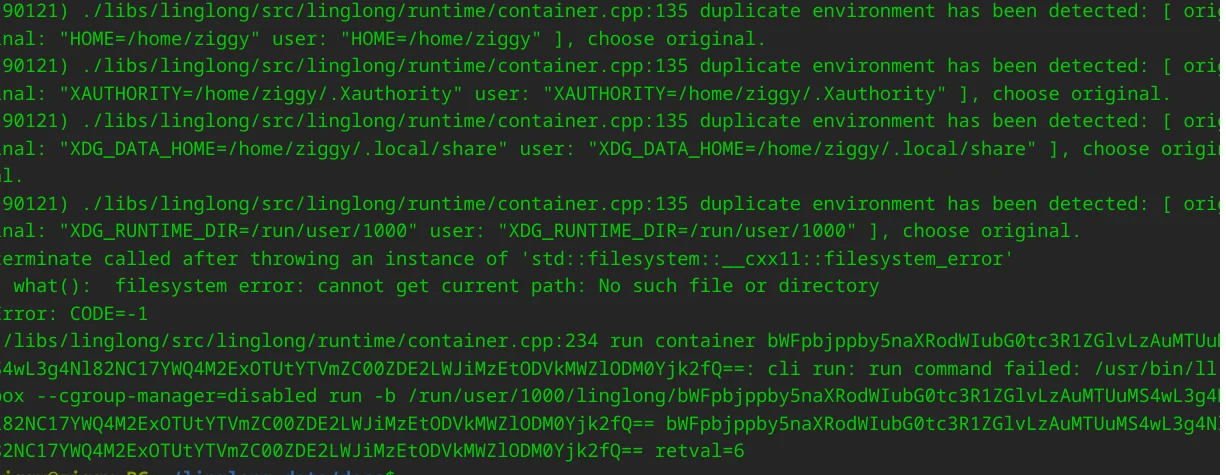
Looking at the debugging information, you can see a relatively obvious error, that is, the "cxx11" error. If we know something about the C++ standard used by default in different versions of GCC, combined with the previous introduction to the built-in GCC version of Runtime/Foundation, we can locate that this error is related to the C++11 standard build used by GCC.
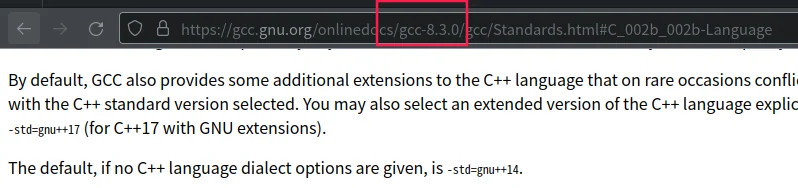

You can see that the default C++ standard for GCC8.3 is c++14, and for GCC13.2 it is c++17. The default of GCC8.3 is obviously closer to the error-reporting c++11. Go back and check the yaml configuration file of this project and find that GCC's 23 Runtime is used. Here we consider replacing it with 20 Runtime. Modify the version number, save the configuration file and rebuild it. After installation, it can run normally. Therefore, it is enough to see that our investigation direction here is correct.
English edition: Linglong · 18 October 2026. Original publication: 2024-09-02.