This article is reproduced from deepin forum-Linyaps area- Original link Author:deepin-superuser
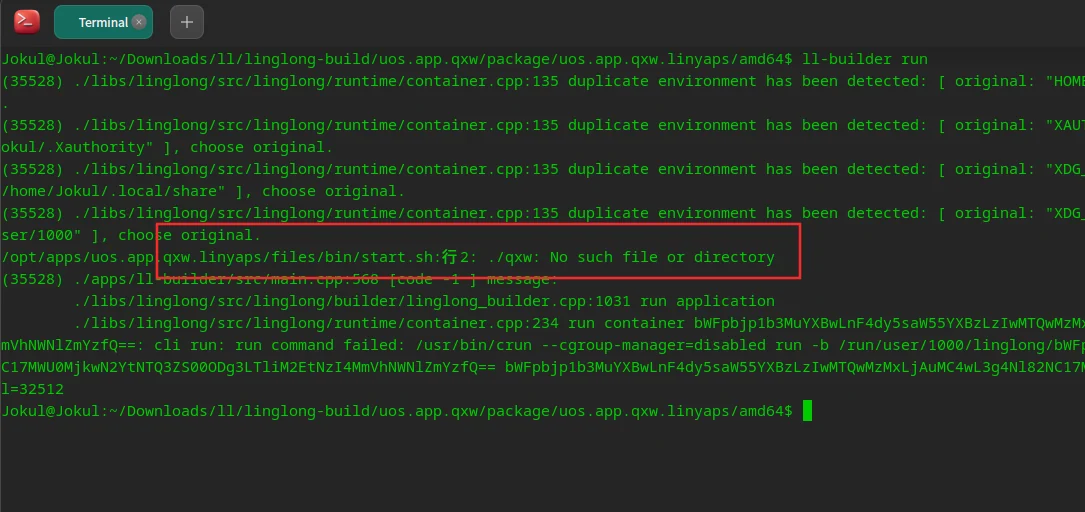
It is inevitable that you will encounter some strange errors when packaging. Here is a packaging report. start.sh:行2: ./xxx: No such file or directory solution
Preconditions
Installed the latest version of linglong-pica 1.1.1-1 and used auto_convert_1.1.1.sh
Error conditions
Currently, there are two types of error reports here, one type is error reporting xxx.sh Can't find it, another type of report env not found
/opt/apps/com.syntevo.deepgit.linyaps/files/bin/start.sh: Line 2: . /deepgit.sh: No such file or directory
/opt/apps/com.github.mdllife.mdl.linyaps/files/bin/start.sh: Line 2: ./env: No such file or directory
Workaround
Case 1
The solution is very simple, first locate 程序目录 , for example, here I am /home/cloud/Desktop/ll-build/linglong-build/com.syntevo.deepgit/package/com.syntevo.deepgit.linyaps
here
/home/cloud/Desktop/ll-buildis the packaging directory I specified behindlinglong-build/com.syntevo.deepgit/package/com.syntevo.deepgit.linyapsIt is automatically generated by the script
Then open with a text editor linglong.yaml Scroll to the bottom to find the location of the error statement
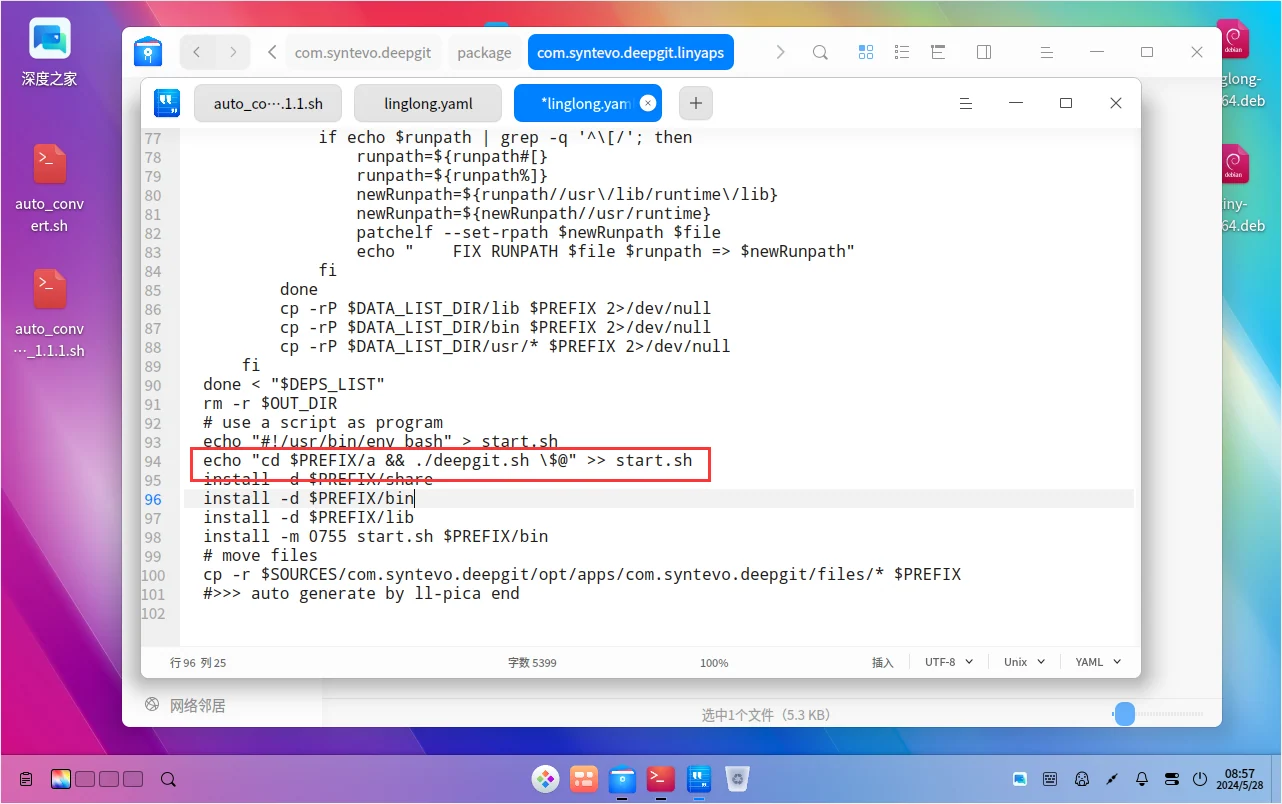
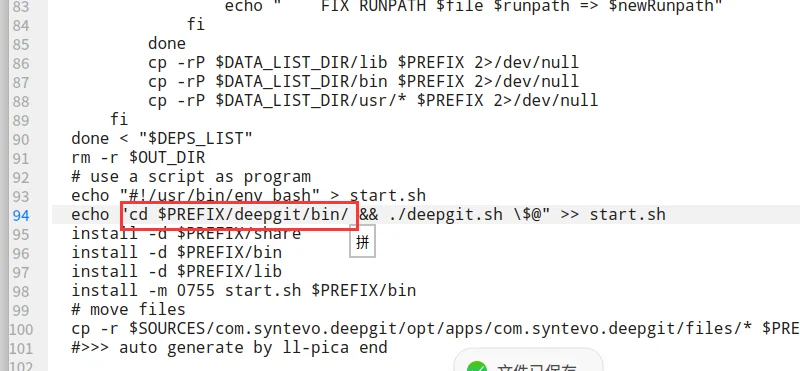
Then modify this to the correct location
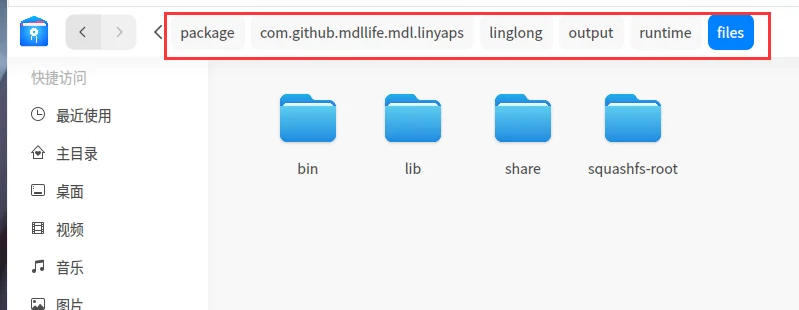
In the first case we look for xxx.sh This file, for example, here is deepgit.sh , first locate 程序目录/package/程序包名/linglong/output/runtime/files , and then start looking for deepgit.sh Documentation
Here we find the deepgit/bin under directory
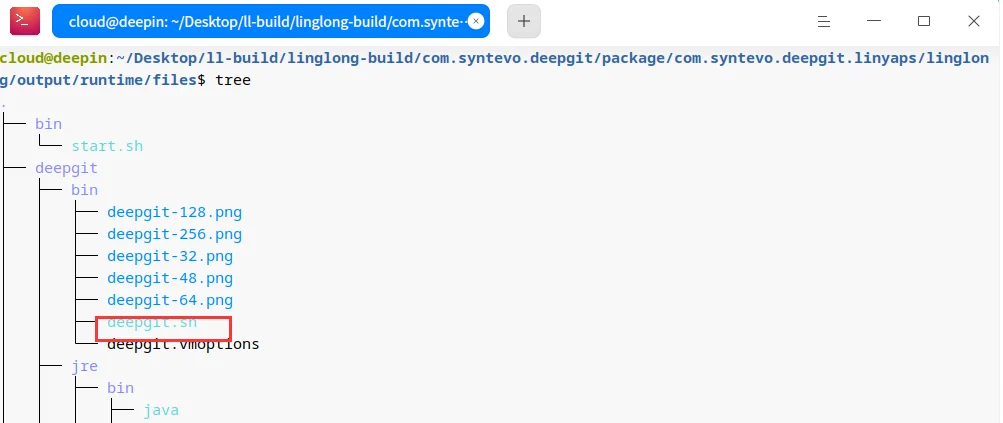
So we modify linglong.yaml
Then open the terminal in the program directory and execute the following command
ll-builder build
ll-builder export
ll-builder run
If you confirm that there is no problem running, you can submit it in the program directory. xxx.runtime.layer File,
Case 2
In case 2, the error reported is ./env , but there is actually no such file. What we are looking for here is AppRun , this file, paste one here linglong.yaml Before and after comparison
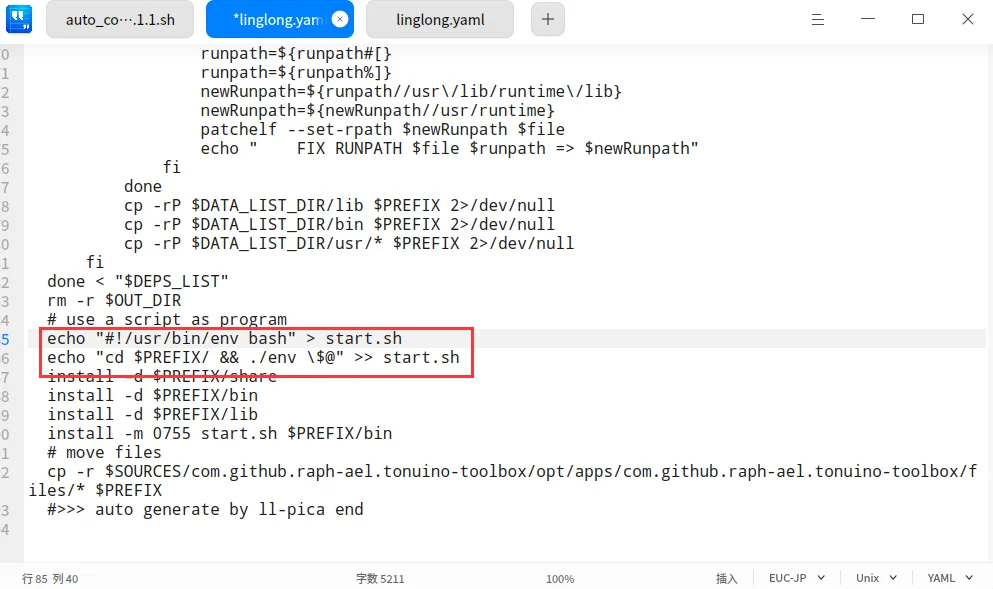
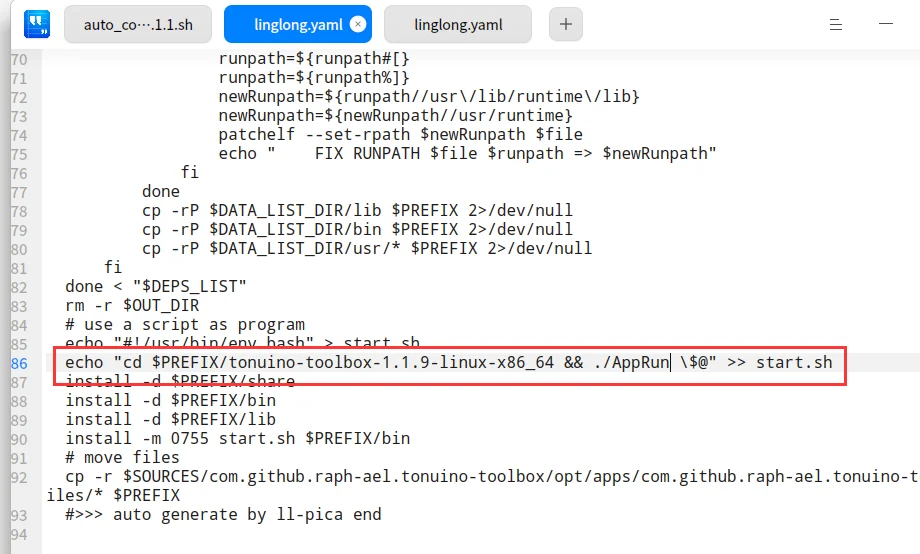
Usually in the program name or squashfs-root directory
Other steps are the same as in case 1
Let’s see how many of these operations can lead to success.
English edition: Linglong · 18 October 2026. Original publication: 2024-07-01.