This article is reproduced from deepin forum-Linyaps area- Original link Author:root
It is inevitable that you will encounter some strange errors when packaging. Here is a packaging report. xxx.so: version GLIBC_2.38′ not found` solution 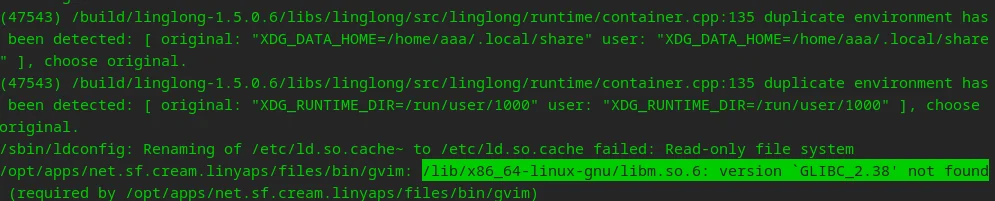
Preconditions
Since the GNU libc version of rumtime provided by the linglong container is 2.37, does the official provide linglong's rumtime environment SDK (tool chain, etc.)?
v23 has updated the GNU libc version to version 2.38, which will cause the problem to occur after compiling and building or converting the deb package of v23 to longlong package.
xxx.so: version GLIBC_2.38′ not found and other situations
Workaround
Convert deb package to longlong package
The solution is very simple. If you use the deb package to convert the longlong package, you can modify the depends field in the control file to be converted and add libc6. In this way, the current GNU libc version of v23 will be packaged into the linglong package, usually in the /opt/apps/{appid}/files/lib/ directory, and then use the higher version of GNU libc to start the program.
For example
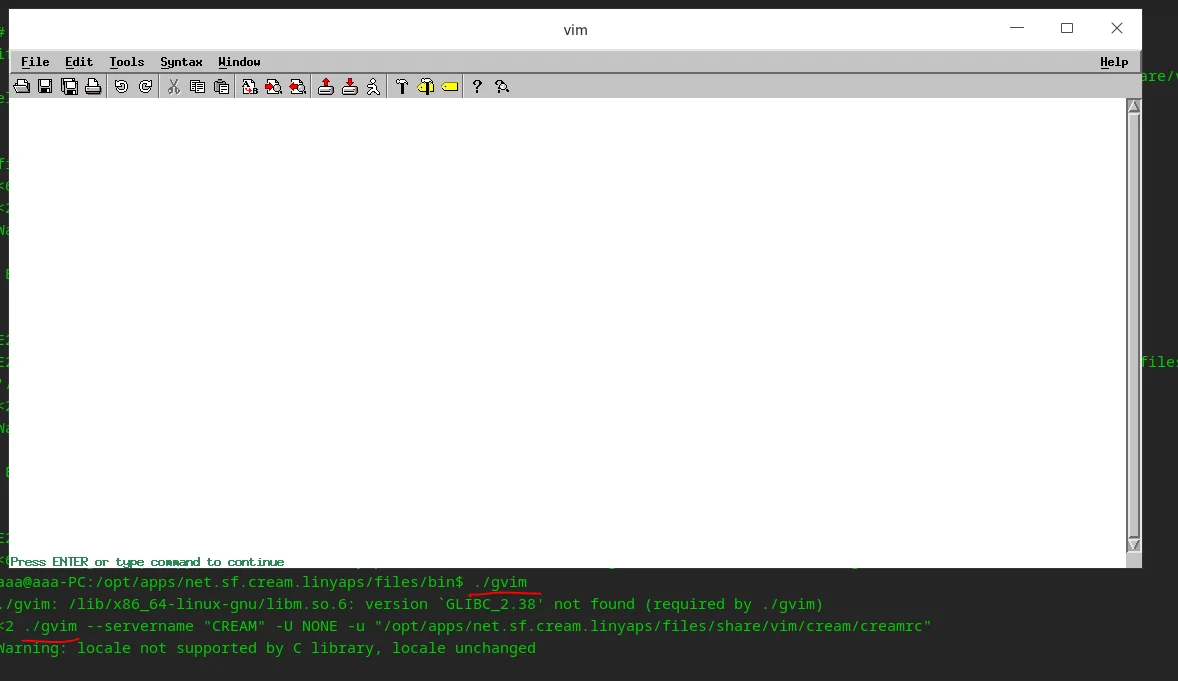
Directly execute gvim prompt
./gvim: /lib/x86_64-linux-gnu/libm.so.6: version `GLIBC_2.38′ not found (required by ./gvim)
Using the packaged v23 version of GNU libc starts normally
Command line example:
LD_LIBRARY_PATH=/opt/apps/net.sf.cream.linyaps/files/lib/x86_64-linux-gnu /opt/apps/net.sf.cream.linyaps/files/lib/x86_64-linux-gnu/ld-linux-x86-64.so.2 ./gvim
The solution to the version `GLIBC_2.38′ not found error when compiling and building the linglong package under v23 is the same.
ps: When transplanting ubuntu 24.04 version software to linglong, version `GLIBC_2.39′ not found appears. You can also insert the libc6 package of ubuntu 24.04 into the linglong package to be packaged in the same way.
ps: As long as you can run
English edition: Linglong · 18 October 2026. Original publication: 2024-07-01.